Each plan includes a number of apps in its price: see Plans. You can have more than that. Each app past the allowance is an extra, billed at its own price every month.
Which apps are included
Your plan includes its most expensive selected apps, up to its allowance, and every other app you have is an extra. Where two apps cost the same, the one earlier in the catalogue is the included one. So the bill is always as low as the apps you chose allow, whichever order you added them in.
The app prices, for when an app is an extra:
| Vendors & Renewals | S$25 per month |
|---|---|
| Requests & Approvals | S$25 per month |
| Systems & Access | S$19 per month |
| Learning & Compliance | S$39 per month |
| Handover & Continuity | S$25 per month |
| Employee Transitions | S$35 per month |
| Assets & Maintenance | S$35 per month |
| Workplace Operations | S$25 per month |
| KPI Scorecards | S$25 per month |
| Spaces & Bookings | S$35 per month |
| Service Desk | S$39 per month |
| Dashboards | S$25 per month |
Change your apps
There are two places to do it. Both price the change before anything is charged.
From the App catalogue. Open App catalogue in the Console sidebar and choose Change apps.
Tick the apps you want and untick the ones you do not. Each row says whether it is Included in your plan or an Extra, and Adding or Removing · records kept for a change.
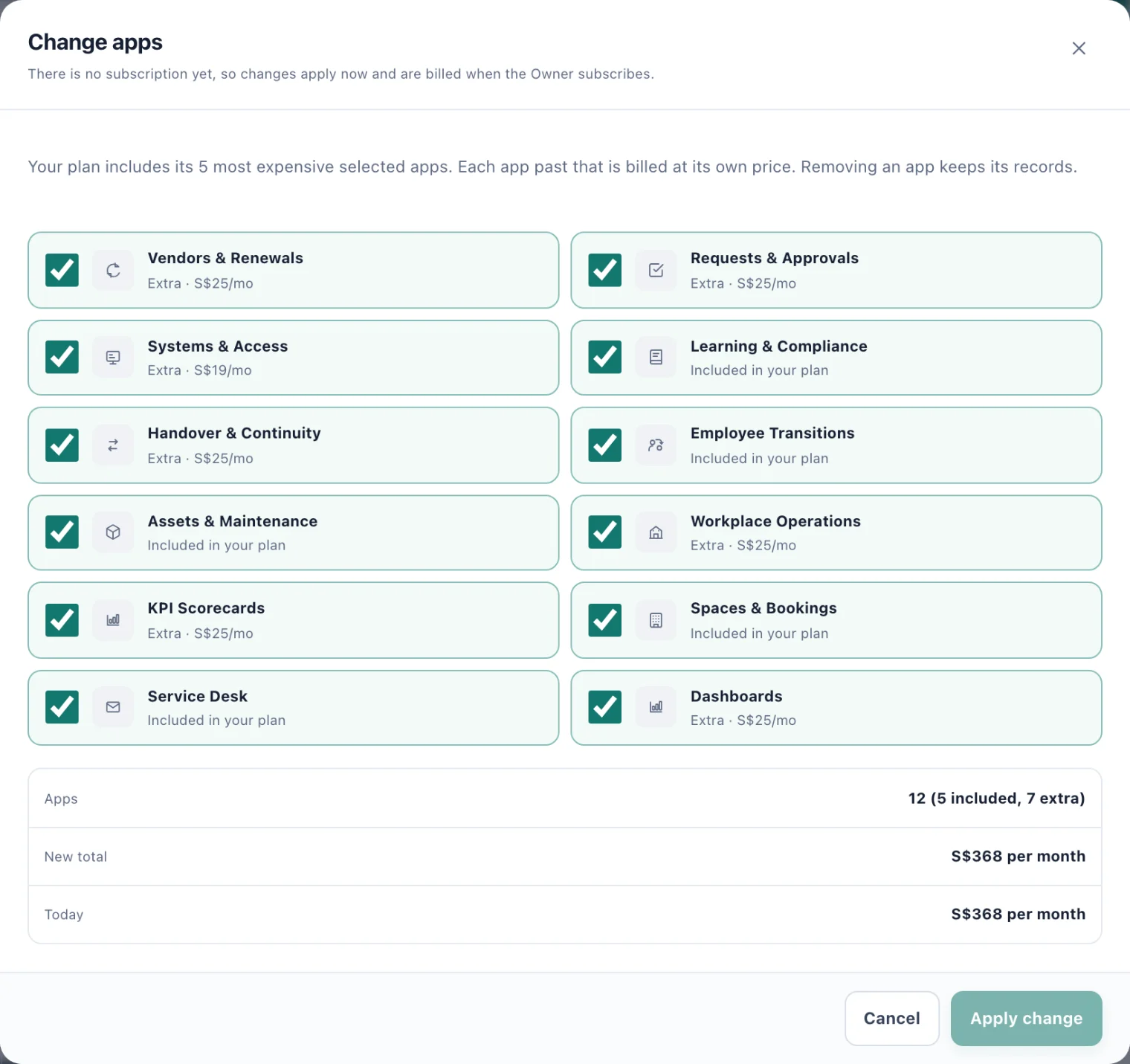
Change apps: each app's status, then the new total against today's. Check the New total against Today.
Choose Apply change, or Update subscription once the workspace has a subscription.
From Plans & billing. The Owner can tick apps in the Apps card on Plans & billing, and buy them with everything else on the page.
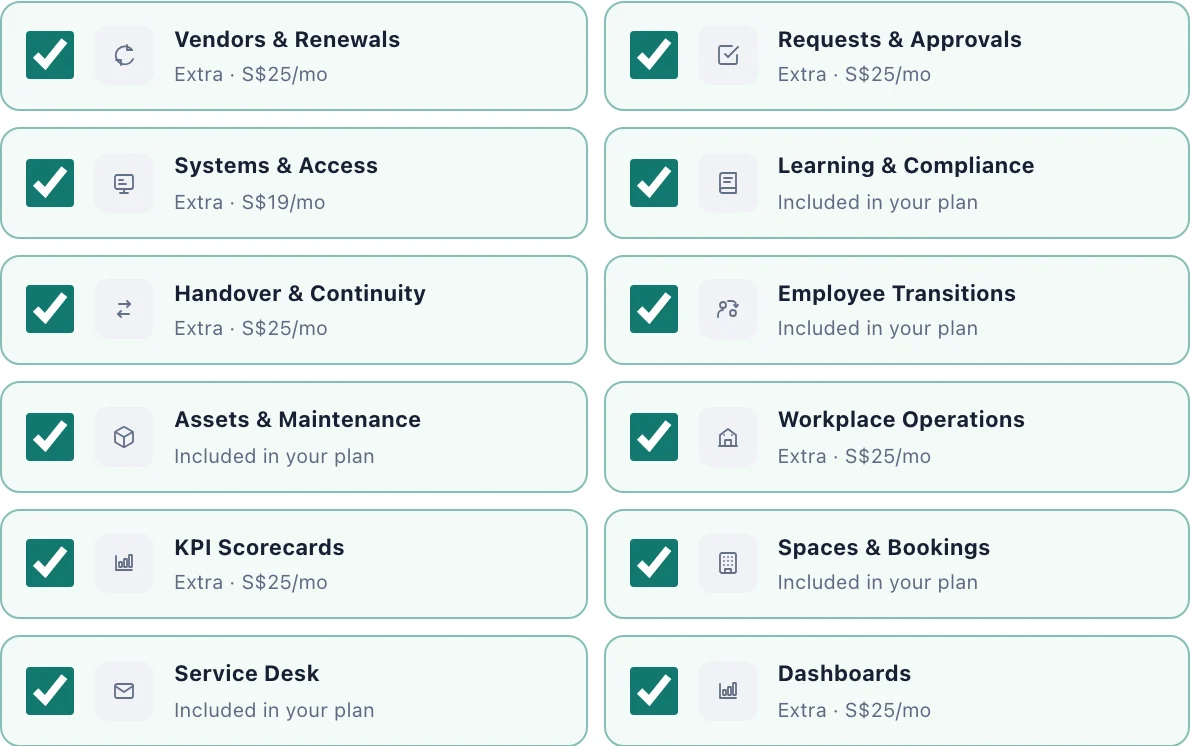
A workspace needs at least one app.
When a change takes effect
No subscription yet, during the trial: at once. Nothing is charged until you subscribe, and checkout bills for whatever is chosen then.
With a subscription: Stripe charges the difference straight away, prorated against what you have already paid, and the apps change once Stripe confirms. You see Sent to Stripe.
An invoice is unpaid: apps cannot change until it is settled.
The subscription has ended: start a new one from Plans & billing.
Install and Remove on the cards
Each card in the App catalogue also has Install app or Remove app. These only use apps your workspace already pays for: the note at the top says how many apps your plan includes and how many the workspace pays for.
Install app fills a slot already paid for and changes nothing you pay. When every slot is full, the card offers Add as extra instead, which opens Change apps.
Remove app hides the app from everyone at once. Its records are kept and come back if it is installed again. The slot stays paid for; to stop paying for an extra app, lower your apps in Change apps.
Who can do what
Change apps, Install app and Remove app. Owners and System Admins, and anyone given Install and remove apps with custom access. It changes what the workspace pays.
Plans & billing. The Owner only.
A read-only workspace cannot add apps, but can remove them.