A checklist built from what they hold
An offboarding adds an item to collect every asset assigned to the person, one to revoke access to every system they can reach, and one to deactivate the account.
App
Offboarding that takes everything back.
Onboarding and offboarding as checklists with owners and dates. A leaver's checklist is built from what they hold, and completing it returns their equipment, removes their recorded access and deactivates their account in one confirmed step.
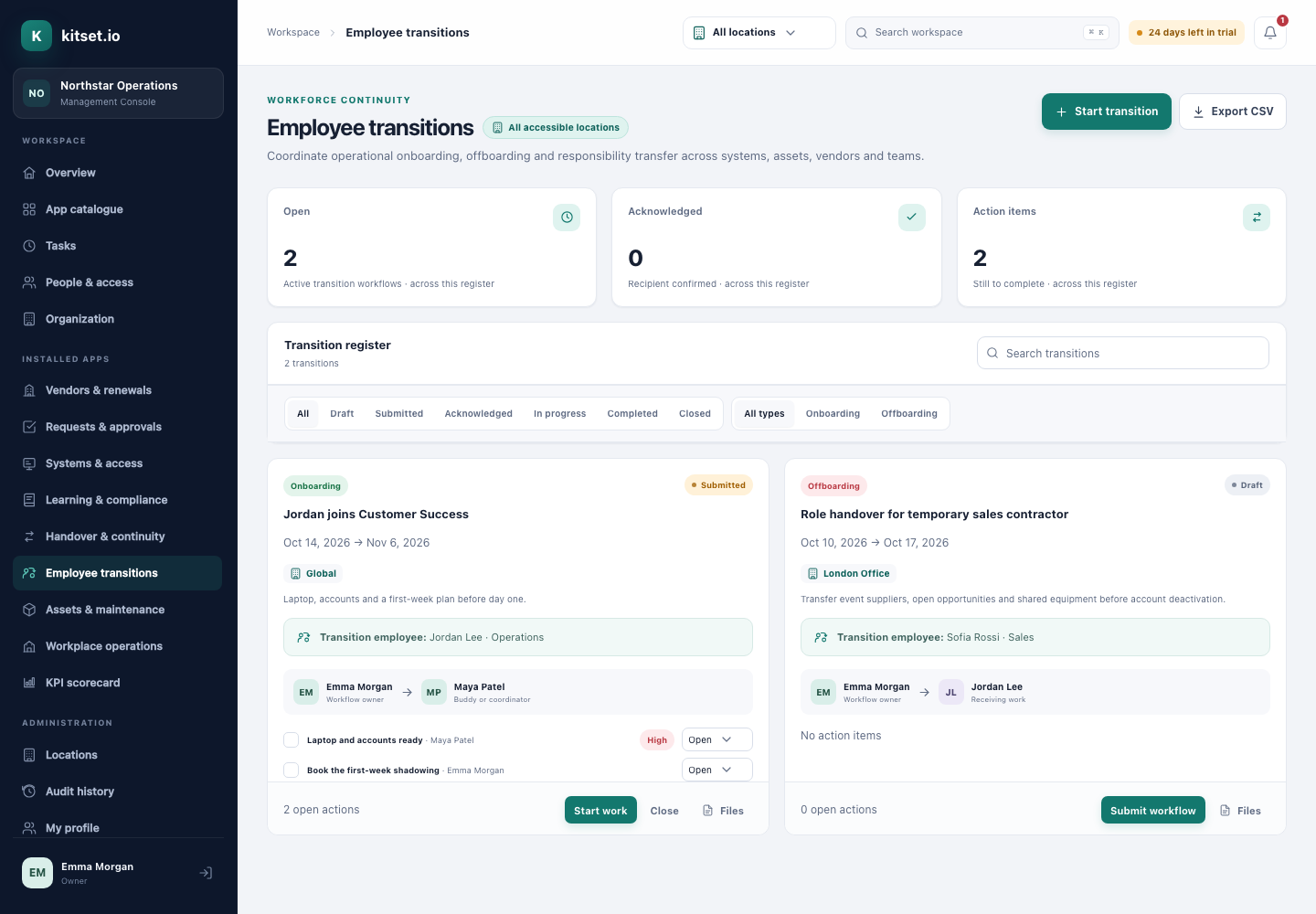
An offboarding adds an item to collect every asset assigned to the person, one to revoke access to every system they can reach, and one to deactivate the account.
Marking an offboarding complete returns every asset, removes every recorded access grant, deactivates the account and ends its sessions, and reports what it did.
Closing an offboarding without completing it needs an explicit confirmation, and is recorded as abandoned.
A joiner's checklist has a buddy or coordinator, dates and actions with owners.
The owners, the buddy and the managers involved are reminded as the last day approaches.
Everyone with a part to play sees their transitions in the Employee Portal.
Choose onboarding or offboarding and the person. It starts as a draft.
Tasks go out to the owner of each item.
For an offboarding, one confirmed step returns equipment, removes access and deactivates the account.
Administrators start, follow and complete onboarding and offboarding.
The people involved see their transitions and the actions that are theirs.
Every asset the leaver holds is on their checklist, and completing the offboarding returns it.
Every system the leaver can reach is on their checklist, and completing the offboarding removes their access from the inventory.
Every plan includes some apps: Team 3, Growth 5 and Scale 8. A plan includes your most expensive selected apps, and each app past that is billed at its own price. Past your plan's allowance, Employee Transitions is $25 a month, and annual billing charges 10 months for the year.
It returns every asset assigned to the person, removes every access grant recorded in Systems & Access, deactivates their account and ends their sessions. It does not sign in to your other systems; the checklist is your reminder to remove access there.
No. Ownership has to move to someone else first.
5 Console users, 500 Portal users, 25 GB of storage and any 3 apps, free for 30 days. No card, no call.