A roster for each location
A week of shifts as drafts only managers see, published together, with templates, overnight shifts, open shifts and Copy week.
App
Who works when, and the hours they worked.
Build each location's week as drafts and publish it in one go. People see their shifts in the Employee Portal and their phone's calendar, clock in where you choose, and their manager approves the hours for payroll.
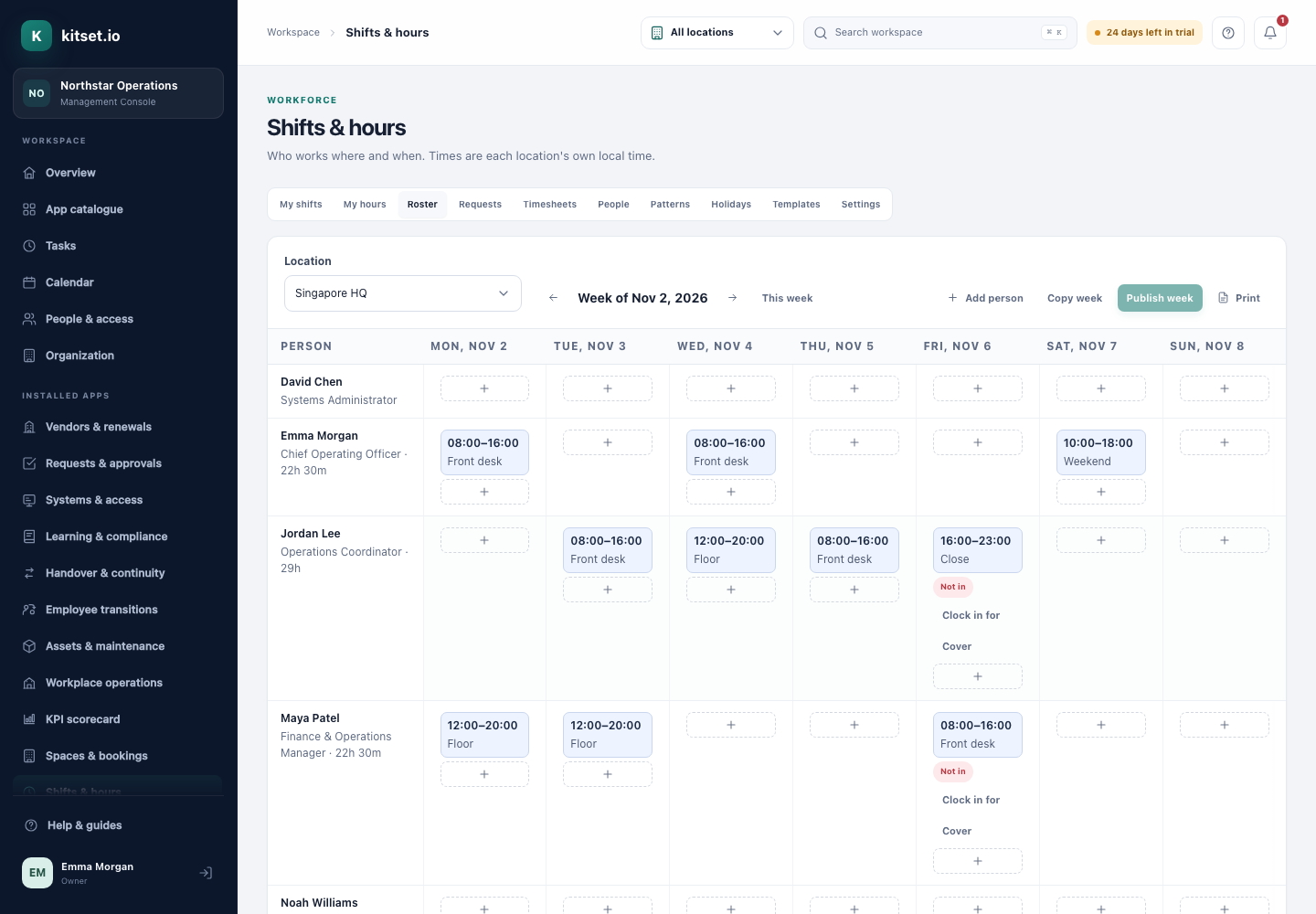
A week of shifts as drafts only managers see, published together, with templates, overnight shifts, open shifts and Copy week.
People offer a shift, give it to a colleague or claim an open one, with a manager's approval where you want it.
Overlaps, unavailability, long days, long weeks, days in a row and missing breaks are flagged on the roster before it is published.
Each location picks one: a phone, a site tablet with a personal code, or a tablet's QR code confirmed with the phone's face or fingerprint.
Work patterns for people without shifts, holidays per location, and nothing invented when someone forgets to clock out.
Each pay period's hours against the plan, with late, missed and unscheduled time flagged, approved and exported as a CSV.
Managers build the week and publish it; each person is told once.
People clock in and out on their phone or at the site tablet.
Managers check the flagged days, approve the timesheets and export them.
Managers build and publish rosters, decide requests, choose how each location clocks in, and approve and export timesheets.
Employees see their shifts, clock in and out, swap and claim shifts, say when they cannot work, and check their hours.
Rosters and bookings use the same locations, each on its own clock.
At clock-out, people are offered a shift handover for whoever works next.
Every plan includes some apps: Team 3, Growth 5 and Scale all 13. A plan includes your most expensive selected apps, and each app past that is billed at its own price. Past your plan's allowance, Shifts & Hours is S$35 a month, and annual billing charges 10 months for the year.
No. It records the hours people worked and exports approved timesheets; your payroll works out what they are paid.
At a site tablet you choose how much proof to ask for: a personal code, a photo, or a QR code that needs the person's own phone and face or fingerprint.
5 Console users, 500 Portal users, 25 GB of storage and any 3 apps, free for 30 days. No card, no call.