Rules for every space
The shortest and longest booking, how far ahead it can be booked, a gap kept free between bookings, and the hours and days it is open, on the location's own clock.
App
Book the room. Free the desk nobody came to.
Set up the rooms, desks and pods at each location with their rules. People book them in the Employee Portal, kitset.io keeps two people from holding the same space, and a booking nobody checked in for is released for someone else.
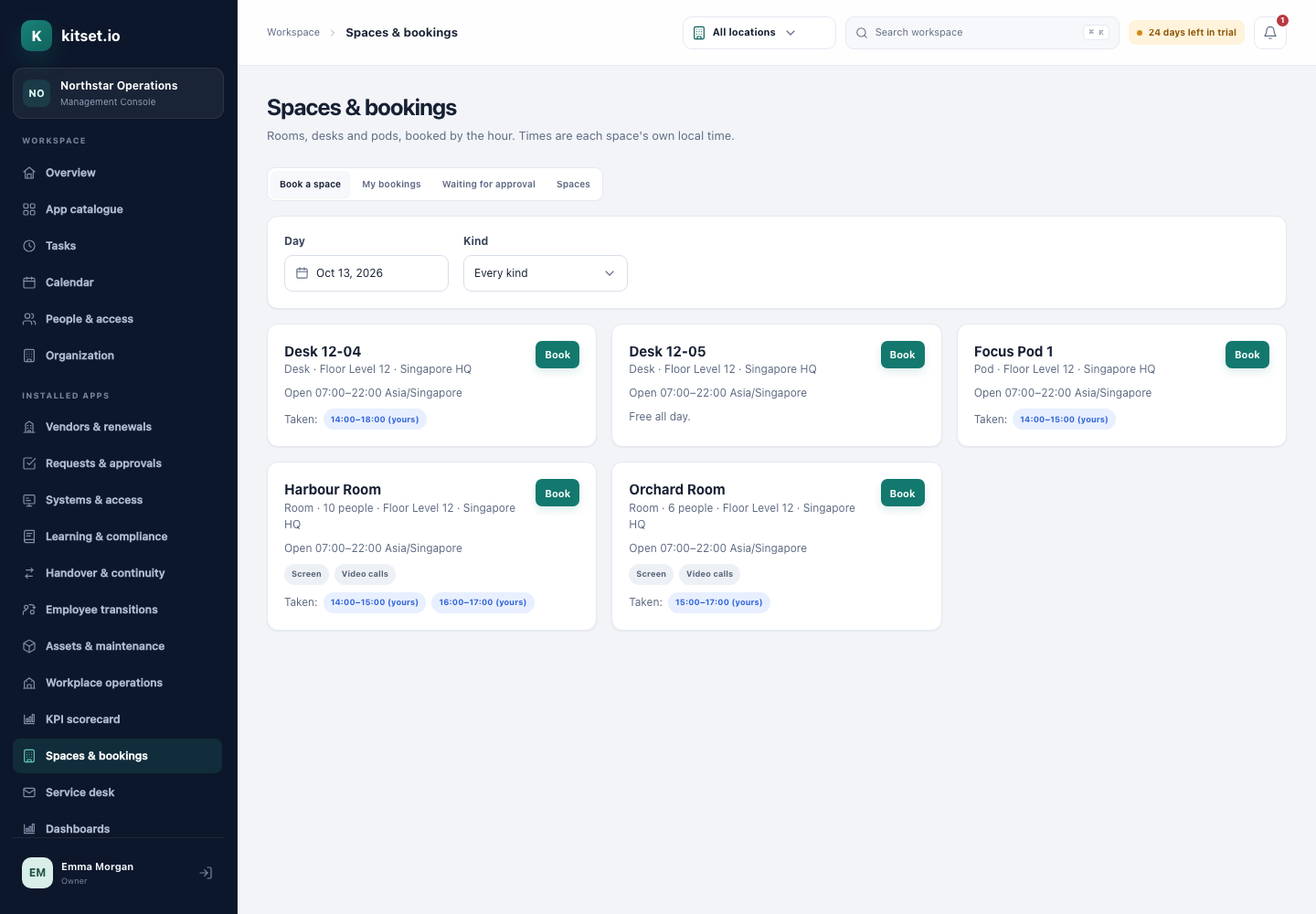
The shortest and longest booking, how far ahead it can be booked, a gap kept free between bookings, and the hours and days it is open, on the location's own clock.
Nothing else may hold the space at the same time, gap included, and a person holds one desk or pod at a time.
A space can need a manager's approval, and can release a booking nobody checked in for after the minutes you choose. Check-in opens fifteen minutes before the start, or as early as Booking settings say.
Book the same time every week, for up to twelve weeks or as many as Booking settings allow, all or nothing, and cancel the later weeks together.
A confirmed booking is emailed with a calendar file, and so is a cancellation, so Google Calendar or Outlook adds and removes it.
A link for the screen by the door shows whether the room is free and the day's booked times. It never shows whose a booking is, and shows what it is for only if you turn that on.
Add spaces at each location with their rules and who may book them.
People pick a free time in the Employee Portal, or a company event books the room it needs.
They check in when they arrive; a no-show is released for someone else.
Managers set up spaces, rules and who may book them, answer approvals, book for others and make the links for room screens.
Employees find a free room, desk or pod, book it, check in and cancel.
Desks and rooms sit at the same locations as the equipment in them.
Visitors, incidents and follow-up work at the same locations.
Step by step, with pictures: the Spaces & Bookings guides.
Every plan includes some apps: Team 3, Growth 5 and Scale all 13. A plan includes your most expensive selected apps, and each app past that is billed at its own price. Past your plan's allowance, Spaces & Bookings is S$35 a month, and annual billing charges 10 months for the year.
Bookings go out to them: each confirmation and cancellation is emailed with a calendar file. Bookings are made in kitset.io, not read back from those calendars.
Anyone who may book a space sees when it is taken. Only its managers see what a booking is for and whose it is. The room screen never shows whose it is, and shows what it is for only where Booking settings turn that on.
Yes. Twelve is the default; Booking settings allow anything from two to fifty-two weeks.
Fifteen minutes before the start, unless Booking settings choose another time, up to an hour.
5 Console users, 500 Portal users, 25 GB of storage and any 3 apps, free for 30 days. No card, no call.