Employee Transitions
Coordinate operational onboarding, offboarding and responsibility transfer across teams.
S$35 per monthUse it for
When someone leaves, take everything back.
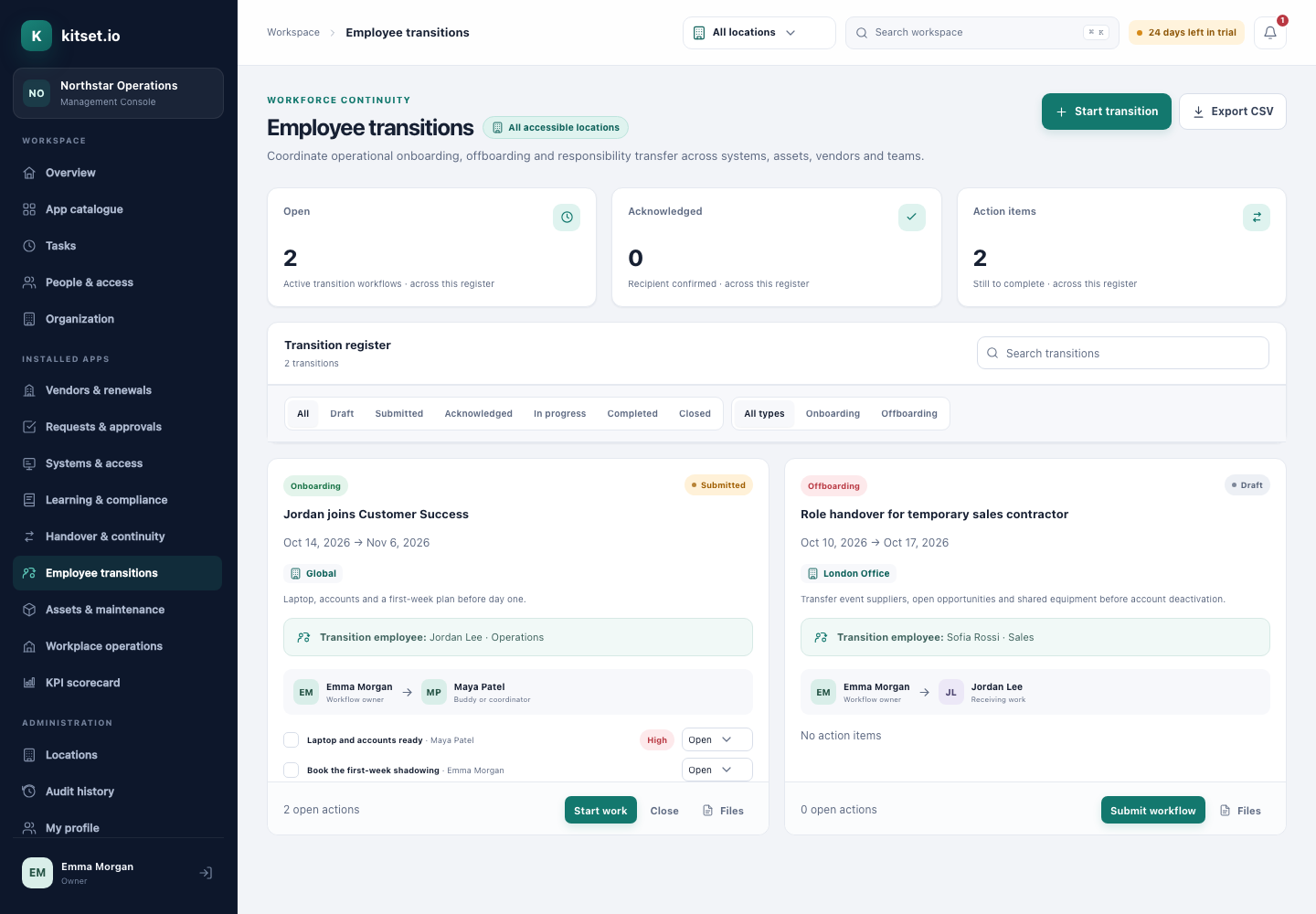
A leaver's offboarding lists every asset they hold and every system they can reach. Completing it returns the equipment, removes their recorded access and deactivates their account, in one confirmed step.
HR records the last day. IT has the accounts, the office has the laptop, and the manager knows the work that was half done. Each list is incomplete without the others, so something turns up months later: a login still active, a laptop never returned.
kitset.io keeps the people, the equipment and the access in one workspace, so an offboarding starts from what the person actually holds.
Record who holds each laptop, phone and pass in Assets & Maintenance, and who can reach each system in Systems & Access. No password is ever stored.
Choose the person. The checklist starts with the actions your Transition settings give every offboarding, and lists every asset they hold and every system they can reach.
Whoever started it, the buddy or replacement, and the people who manage transitions there are reminded as the last day approaches, from 30 days ahead unless Transition settings say otherwise.
Marking it complete returns every asset, removes every recorded access grant, deactivates the account, ends its sessions and turns their future shifts into open shifts, and reports what it did.
Every plan includes some apps: Team 3, Growth 5 and Scale all 13. A plan includes your most expensive selected apps, and each app past that is billed at its own price.
Coordinate operational onboarding, offboarding and responsibility transfer across teams.
S$35 per monthKnow which business systems exist, who owns them and who should have access—without storing secrets.
S$19 per monthManage equipment, assignments, checkout/return, warranties, maintenance dates and service history.
S$35 per monthThe actions most offboardings need besides equipment and access, each with who usually does it and when.
Open it in a spreadsheet and keep the actions that fit your business.
In Employee Transitions, choose Settings and paste the action column into Offboarding, one action per line, up to 30.
Every new offboarding starts with them, and still lists everything the person holds.
Step by step, with pictures: the Employee Transitions guides.
No. It removes the access recorded in Systems & Access. The checklist is your reminder to remove it in each system itself.
Only with an explicit confirmation, and it is recorded as abandoned.
Yes. Employee Transitions runs onboarding as well: a joiner's checklist with a buddy or coordinator, dates and actions with owners.
5 Console users, 500 Portal users, 25 GB of storage and any 3 apps, free for 30 days. No card, no call.