Owners for every system
Name a business, a technical and a billing owner for each system, and reassign owners for a selection at once or everything matching your filters.
App
Know who owns every system, and who still has access.
An inventory of the software your business runs on: its business, technical and billing owners, who has access, and when access was last reviewed. Without storing a single password.
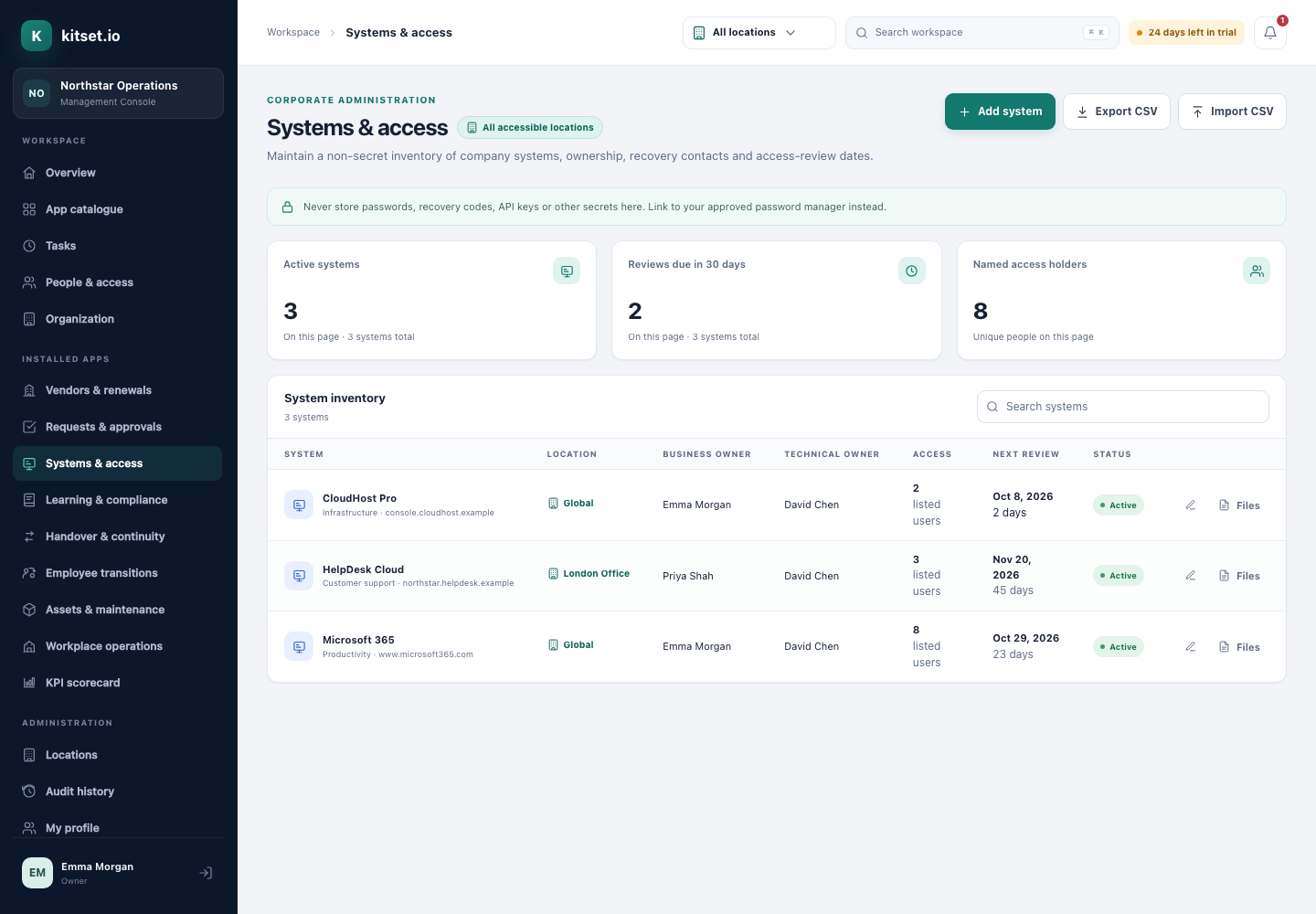
Name a business, a technical and a billing owner for each system, and reassign owners for a selection at once or everything matching your filters.
Record who has access to each system and since when. Every grant and removal is kept in the audit history with who made it, including those made by an offboarding.
Review a system's access in one place: keep or remove each person, sign it, and set the next review. The review is kept with every decision, and removals happen as you sign.
The owners are reminded as a review approaches, 30 days ahead unless Systems settings choose another lead time, then weekly once it is overdue, up to ten times, until one is signed.
kitset.io records ownership and access, never passwords. Recovery contacts are visible to administrators only.
In the Employee Portal, each person sees the systems they can use or own, not the rest of the inventory.
When an offboarding is completed in Employee Transitions, the leaver's recorded access is removed from every system here.
Import them from CSV, with owners matched by email address, or add them one at a time.
Note who has access to each system and set its next review date.
Sign a review that keeps or removes each person, and leavers' access is removed here when their offboarding is completed.
Administrators keep the inventory, its owners and access lists, sign access reviews and read each system's history, with saved views, column choices, bulk updates and CSV import and export.
Employees see the systems they have access to or own, with their links and owners.
An offboarding adds a revoke-access item for every system the leaver can reach, and completing it removes their access from each one.
Step by step, with pictures: the Systems & Access guides. See where it fits: Offboarding.
Every plan includes some apps: Team 3, Growth 5 and Scale all 13. A plan includes your most expensive selected apps, and each app past that is billed at its own price. Past your plan's allowance, Systems & Access is S$19 a month, and annual billing charges 10 months for the year.
No. It records ownership, access and review dates. Removing someone's access here updates your record; the offboarding checklist reminds you to remove it in the system itself.
Open Review on a system to see everyone with access and since when, keep or remove each person, and sign. The review is kept with who signed it, each decision and any note; removals take effect as you sign; and the next review date is set. Its owners are reminded as that date approaches, then weekly once it has passed, up to ten times.
A signed review proposes the next one: by the system's own interval, or 90 days later where it has none, unless Systems settings choose another. The reviewer can change it.
No. A signed review is the record of what was decided, so a correction is a new review. Every review, with each decision, can be exported as CSV.
5 Console users, 500 Portal users, 25 GB of storage and any 3 apps, free for 30 days. No card, no call.