Handover & Continuity
Run holiday, shift and role handovers with owners, deadlines and recipient acknowledgement.
S$25 per monthUse it for
Hand work over so nothing is dropped while someone is away.
Before a holiday, a shift change or a move to a new role, the work goes over properly: what needs cover, who owns each action, who to call, and a record that the person taking over picked it up.
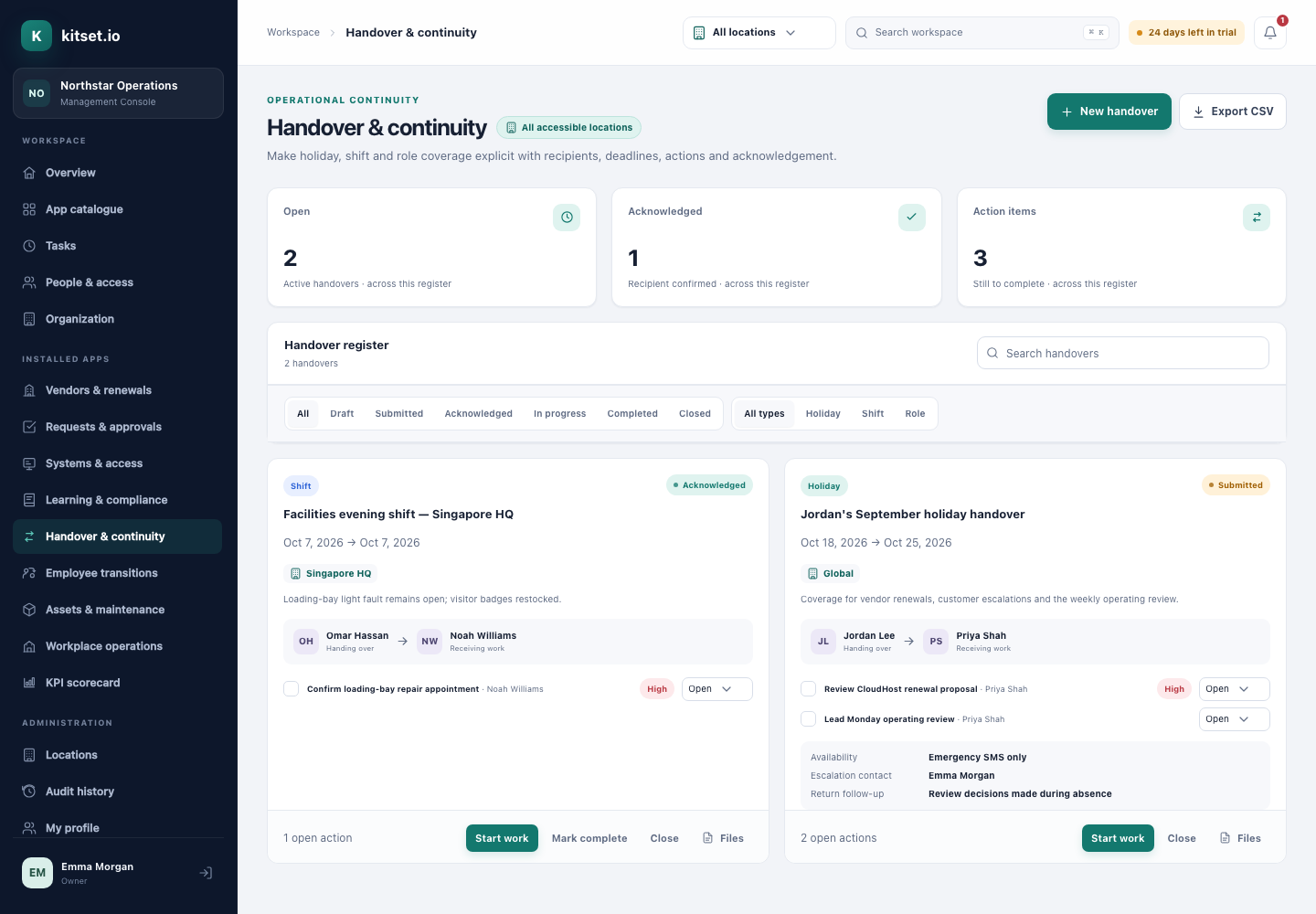
A handover is usually an email written the night before leave, to someone who may not read it until something has already been missed. Nobody can tell what was agreed, or whether it was picked up.
Choose holiday, shift or role, the person taking over and the dates, with your availability, an escalation contact and what you will pick back up when you return. Employees write their own in the Employee Portal.
Split the work into actions, each with its own owner, due date and priority. Every owner gets a task, and is reminded as it comes due.
The person taking over acknowledges the handover, and the time is recorded.
Where you roster shifts, people clocking out are offered a shift handover for whoever works next.
Every plan includes some apps: Team 3, Growth 5 and Scale all 13. A plan includes your most expensive selected apps, and each app past that is billed at its own price.
Run holiday, shift and role handovers with owners, deadlines and recipient acknowledgement.
S$25 per monthRoster shifts, clock in on a phone or at a site device, approve timesheets and export them for payroll.
S$35 per monthThe actions a holiday handover usually needs, each with who does it and when. Most work for a role handover too.
Open it in a spreadsheet, keep the actions that fit your team and put them in your own words.
In Handover & Continuity, choose Settings and paste the action column into Holiday, Shift or Role handovers, one action per line, up to 30.
Every new handover of that type starts with them, and whoever writes it can still add, change or remove any.
Step by step, with pictures: the Handover & Continuity guides.
No. Employees write, receive and acknowledge handovers in the Employee Portal, and see only the ones they are part of.
The person taking over acknowledges it, and the time is recorded on the handover.
No. Share access through each system's own sharing, and keep passwords, recovery codes and keys out of the handover.
5 Console users, 500 Portal users, 25 GB of storage and any 3 apps, free for 30 days. No card, no call.