Three kinds of record
Incidents, from open to closed. Visitors, from expected to checked out. Lost and found, until it is claimed.
App
Incidents, visitors and lost property in one place.
A register for what happens at your locations: incidents from report to closure, visitors from expected to checked out, and lost property until it is claimed, each with someone responsible for following up.
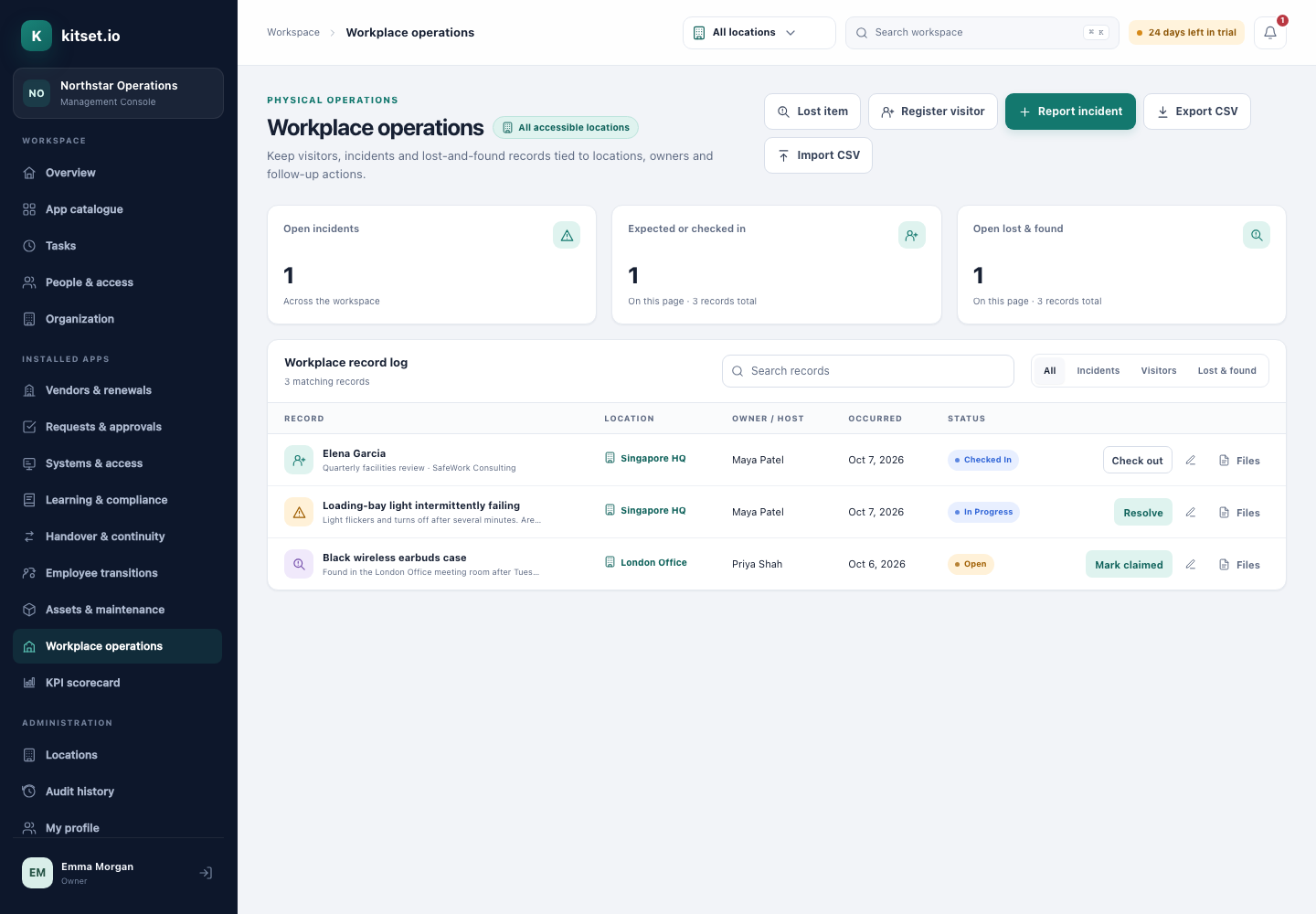
Incidents, from open to closed. Visitors, from expected to checked out. Lost and found, until it is claimed.
Give each record a follow-up owner and a due date. They are reminded as it comes due, a week ahead unless Workplace settings change it, and once it is overdue.
Employees report incidents and lost items, and register their own visitors, from the Employee Portal. The location's managers are told of each report, unless Workplace settings turn that off, and visitor registration can be turned off too.
The visitor's host and the follow-up owner are notified.
Resolve an incident, check a visitor in or out, or mark an item claimed, from the register's row. Resolving and marking claimed ask you to confirm first.
Every change is recorded field by field, and past records import from CSV with their original dates.
Report an incident, register a visitor or log a found item at a location.
The owner is reminded as the follow-up comes due.
Resolve, check out or mark claimed. The history stays.
Administrators manage every record at their locations, with search, filters and CSV export.
Employees report incidents and lost items, register visitors, and see the records they reported, host or follow up.
A record can raise a ticket for the team that fixes it.
Rooms and desks at the same locations as your visitors and incidents.
Step by step, with pictures: the Workplace Operations guides.
Every plan includes some apps: Team 3, Growth 5 and Scale all 13. A plan includes your most expensive selected apps, and each app past that is billed at its own price. Past your plan's allowance, Workplace Operations is S$25 a month, and annual billing charges 10 months for the year.
Yes, from the Employee Portal, along with lost items and their own visitors. Editing a record is for administrators.
Yes. The follow-up owner, whoever reported it and the people who look after workplace records there are reminded as the due date approaches, a week ahead unless Workplace settings change it, and once when it has passed.
Yes, the location's workplace managers are told of each report from the Employee Portal, unless Workplace settings turn that off.
Yes. Turn Portal visitors off in Workplace settings, and visitors are registered from the Management Console only.
5 Console users, 500 Portal users, 25 GB of storage and any 3 apps, free for 30 days. No card, no call.