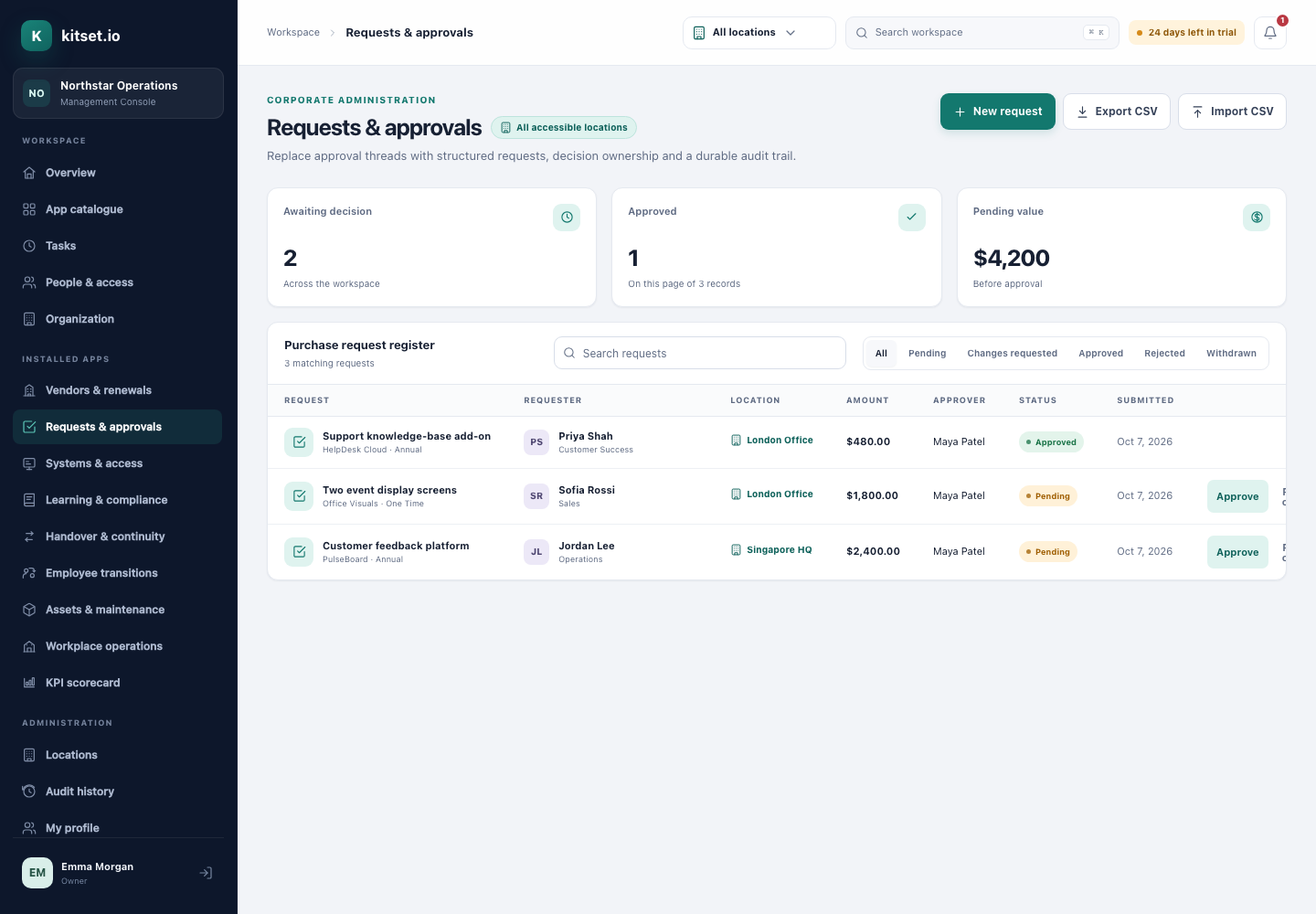
Approvals that leave a record, not an email thread.
Employees raise a purchase request in the Employee Portal. kitset.io routes it to their manager, adds a finance sign-off above the amount you set, and keeps who decided what, when and why on the request itself.
The first sign-off goes to the requester's manager when they can approve, or to an approver chosen when the request is raised. Above your finance threshold, a finance sign-off follows, from the finance approver you name or the first person who can sign.
Separation of duties, enforced
Only the person a request is routed to can sign it, and nobody approves their own request, whatever their role.
Sent back, not lost
Approve, reject or ask for changes with a note. The requester revises and resubmits, and the request is routed again on its new amount.
The whole history on the request
Every stage records who signed, their note and when. Withdrawals and resubmissions stay in the history.
Self-service for employees
Employees see only their own requests, attach quotes, and withdraw a request that is no longer needed.
Export for finance
Export requests to CSV for your finance system or your auditor.
How it works
An employee asks
Title, vendor, amount, currency, how often it recurs and why, from the Employee Portal.
The right people sign
Their manager first, then finance above your threshold. Each approver is emailed when it is their turn, and reminded if it waits three days, or as long as Approval settings say.
The decision stays
Approved, rejected or sent back for changes, with the note and the time, on the request.
For administrators and employees
In the Management Console
Approvers decide from the Management Console, and administrators set the finance threshold and approver, follow every request and export the register.
In the Employee Portal
Employees raise requests, attach quotes, follow each one's progress, and withdraw or resubmit them.
Every plan includes some apps: Team 3, Growth 5 and Scale all 13. A plan includes your most expensive selected apps, and each app past that is billed at its own price. Past your plan's allowance, Requests & Approvals is S$25 a month, and annual billing charges 10 months for the year.
Can an administrator approve their own request?
No. Only the person a request is routed to can sign it, and nobody can approve their own request, owners and administrators included.
What happens above the finance threshold?
A finance sign-off is added after the manager's. The threshold is one amount for the workspace, and changing it is recorded in the audit history.
Can one person sign every finance stage?
Yes. Name a finance approver in Approval settings. A request they raised themselves, or one at a location they cannot approve for, goes to the first person who can.
Does it convert currencies?
No. Each request keeps the currency it was raised in, from the list your workspace uses, and the threshold compares amounts as entered: 1,000 SGD and 1,000 USD both count as 1,000.
Are approvers told when a request reaches them?
Yes, by email and in the app, when it is their turn. A request still waiting three days later reminds them, then once a week, up to ten times, until someone decides; your workspace can change each of those numbers in Settings. The requester is emailed each decision. Anyone can turn these emails off on their profile; the notices in the app stay.
Try Requests & Approvals in a workspace of your own.
5 Console users, 500 Portal users, 25 GB of storage and any 3 apps, free for 30 days. No card, no call.