Plans & billing is where the Owner chooses what the workspace pays for: the plan, monthly or annual billing, extra capacity and the apps. Open it from Plans & billing under Administration in the Console sidebar. Only the Owner sees it.
Payments are taken by Stripe. Card numbers go to Stripe and never reach kitset.io.
The page
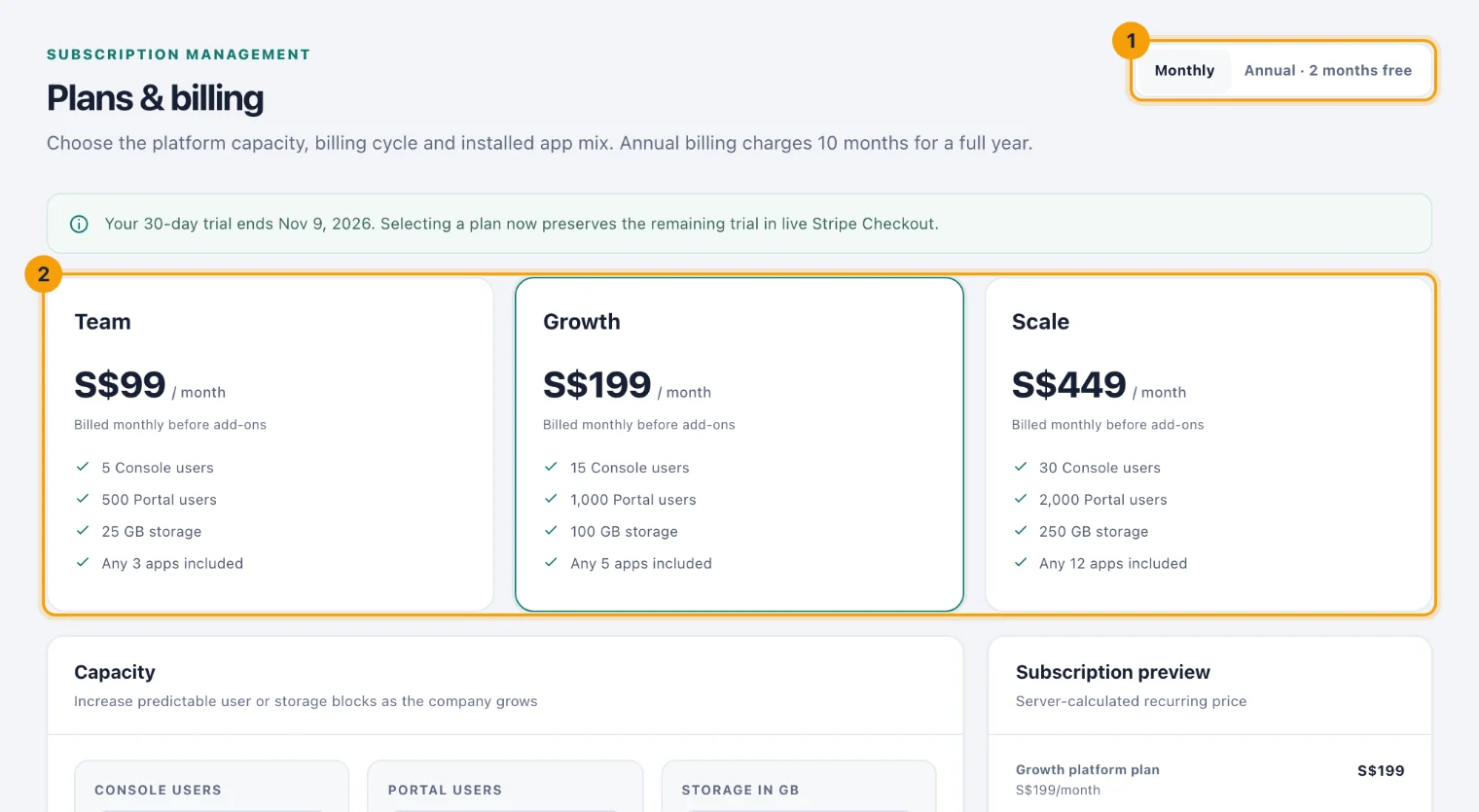
Monthly or Annual · 2 months free (1) sets the billing cycle. Annual billing charges ten months for a full year.
The plan cards (2) show what each plan includes. The chosen plan is highlighted. See Plans.
Capacity sets extra Console users, Portal users and storage beyond the plan. See Capacity packs.
Apps lists every app, ticked if you have it, and says whether each is included in your plan or billed as an extra. See Apps and the app allowance.
Subscription preview prices what you have chosen, line by line, with the total Due per month or Due per year. Taxes are calculated by the payment provider.
Nothing changes until you confirm with one of the buttons under the preview.
Subscribe
Choose a plan card and the billing cycle.
Add any capacity you need, and tick the apps you want.
Check the Subscription preview.
Choose Continue to secure checkout. Stripe Checkout opens; it accepts a promotion code if you have one.
Pay, and Stripe brings you back to Plans & billing.
Back on the page, a note says where things stand. Payment confirmed means the subscription is active and your capacity has been updated. If it says Your workspace has not changed yet, Stripe has not confirmed the payment; some payment methods take a few days, and Check again reloads it. Checkout was cancelled means nothing was charged.
The buttons, by situation
What the page offers depends on your subscription:
No subscription yet. Continue to secure checkout, and Save plan selection, which switches the trial to the chosen plan and apps now, without paying. Extra capacity you priced is added only at checkout.
Subscribed. Update my subscription buys a change, and Manage subscription opens Stripe for the card, invoices and cancelling. See Change your plan.
An invoice is unpaid. Settle the invoice in Manage subscription. See Invoices and failed payments.
The subscription has ended. Continue to secure checkout starts a new one.