Every workspace has exactly one Owner. The Owner is the only person who changes the plan, the apps and the billing details, and the only one who can erase a person. When that should be someone else, for example because the Owner is leaving, the Owner hands the role over.
Before you start
You need to be the Owner. Nobody else can start a transfer, and the Owner role cannot be given any other way.
The new Owner must be an active Console user who has accepted their invitation. If they are not on a Console licence yet, change their licence in People & access first.
Check their sign-in is secure. They will have full control of the workspace and its billing. If your workspace requires two-factor sign-in for Owners, they will need an authenticator. See Require two-factor sign-in.
Transfer it
Open People & access and find the new Owner.
Open the row's menu and choose Transfer ownership.
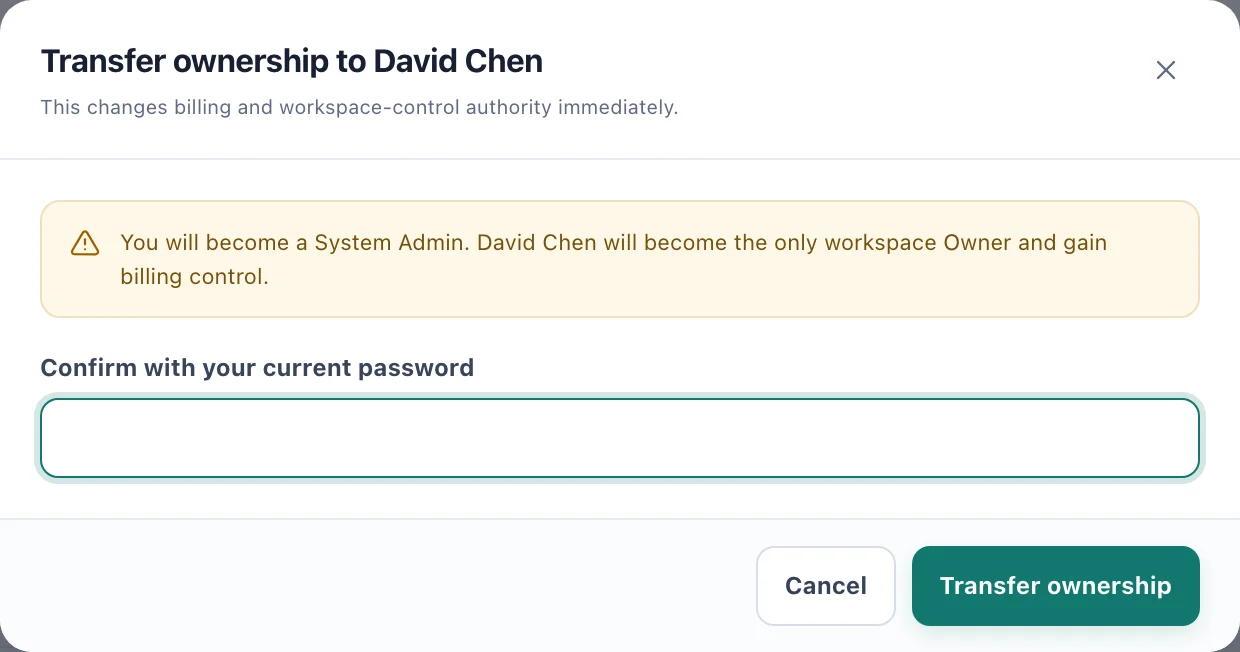
The transfer takes effect as soon as you confirm it. Read the warning: You will become a System Admin. The person you chose will become the only workspace Owner and gain billing control.
Enter your password in Confirm with your current password.
Choose Transfer ownership.
You see Ownership transferred, and the new Owner is told You are now the workspace Owner.
What changes
You become a System Admin, with full administration of the workspace short of billing. Plans & billing leaves your sidebar.
They become the Owner, with access to every location, Plans & billing, erasure, and the right to transfer ownership again.
The subscription carries on. The plan, apps and capacity do not change.
The transfer is recorded in the audit history.
To undo it, the new Owner transfers ownership back to you the same way.