AI connections let the people in your workspace ask an AI app, such as Claude, ChatGPT or Cursor, about their work in kitset.io. An AI app signs in as one person and reads only what that person can see here. It cannot change anything.
AI connections are off until you turn them on.
Turn AI connections on
Open AI connections in the Console sidebar. The Policy tab opens.
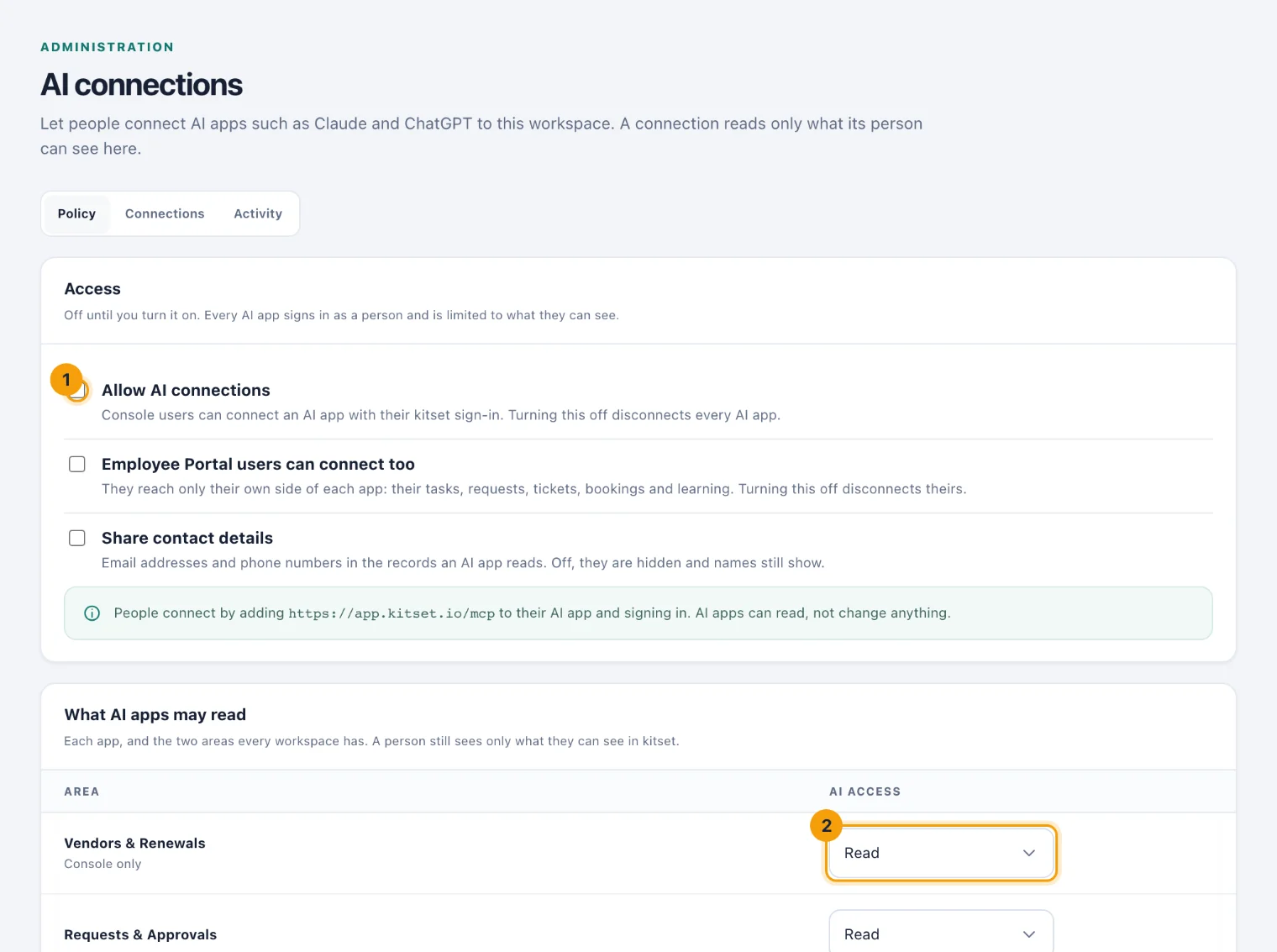
The Policy tab: the switch for the whole workspace (1), and what AI apps may read in each app (2). Tick Allow AI connections (1).
Under What AI apps may read, choose Read or Off for each app, and for Tasks and Calendar (2). The first time, every installed app is set to Read.
Decide whether Employee Portal users can connect too. Console users can always connect once AI connections are on.
Decide whether to Share contact details. When it is off, email addresses and phone numbers in the records an AI app reads are hidden, and names still show.
Choose Save.
Each person then connects their own AI app. See Connect an AI app.
Whatever you choose here, an AI app never sees more than its person can see in kitset.io. A person limited to one location reads that location's records, and an Employee Portal user reads only their own side of each app.
Change what AI apps may read
Change an app to Off and choose Save. Every AI app stops reading it on its next request. Nobody is disconnected.
See and end connections
The Connections tab lists every AI app connected now: the person, the app, the apps it may read, when it connected and was last used, and when it ends. Choose All, including ended to see connections that ended in the last 30 days, and why.
Choose Disconnect on a row and confirm to end that connection at once. The person sees a notification saying who disconnected it.
An AI app whose details kitset.io fetched from its own address shows that address. One that registered itself shows Unverified and the address it returns to.
A connection also ends on its own:
after 30 days unused, and after 90 days whatever happens;
when its person's password is reset or changed, they sign out everywhere, they turn two-factor sign-in on, or they are deactivated or leave.
See what AI apps asked
The Activity tab lists every request an AI app made in the last 90 days: when, the person and the app, the tool it used, what it asked, the result, and how many records came back. Choose a result to see only refusals or failures.
A search term is kept as its length only, such as query: <text: 12 characters>, because a search can contain somebody's name. Ids, kinds and dates are kept as they were sent.
Connecting, disconnecting and every change to this policy are also recorded in the audit history.