Every significant change in kitset.io writes an audit event: who did it, what they did, which record it was, where and when. Events cannot be edited or deleted from the workspace; the one exception, erasure, is described below. Open the trail from Audit history under Administration in the Console sidebar.
Read the trail
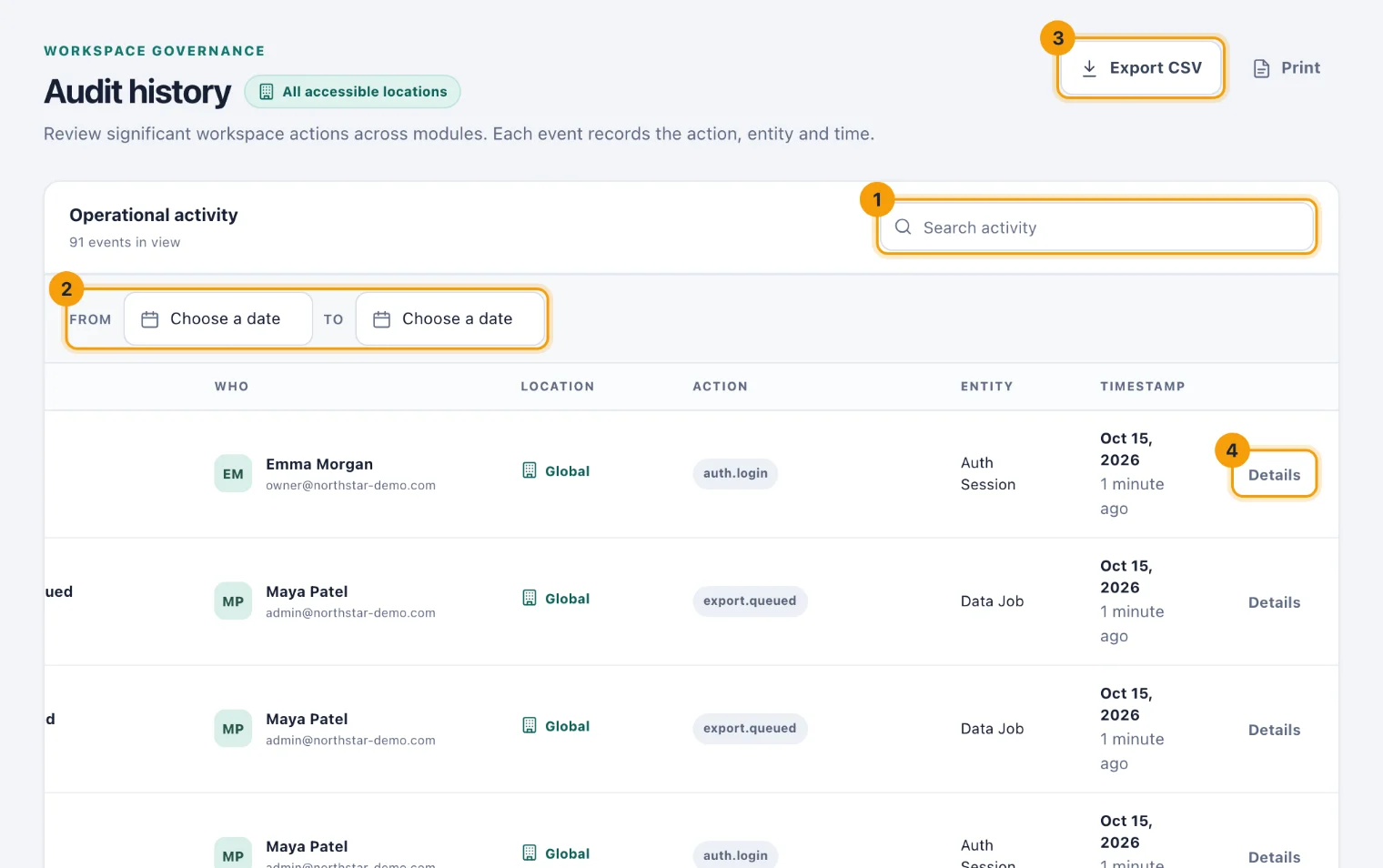
The Operational activity list shows the newest events first, a hundred to a page. Each row gives the Event summary, Who did it, the Location, the Action, the Entity it changed and the Timestamp. A row whose Who reads System was done by kitset.io itself, such as a payment Stripe confirmed.
To narrow it:
Search activity (1) matches the summary and the action.
From and To (2) limit it to a range of days, read in your workspace's own time zone. Clear dates removes the range.
The location picker at the top of the page limits it to one location.
Open one event
Choose Details (4) on a row. The event opens as a page of its own, with a link you can send to someone else who can read the trail.
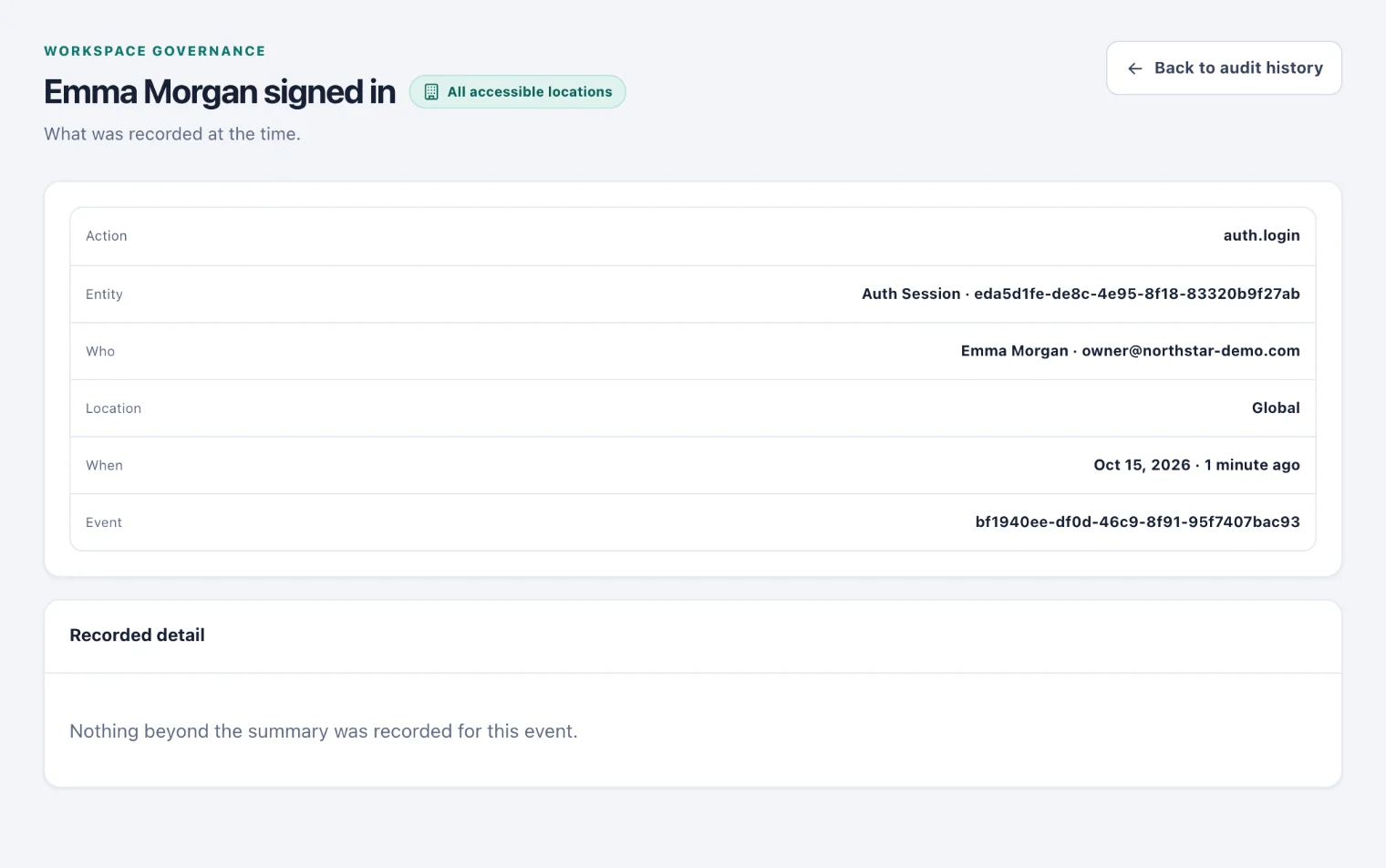
The top card gives the Action, the Entity, Who did it, who it was About where it concerned a person, the Location, When and the Event reference. Recorded detail lists everything else written at the time, such as which fields changed or how many rows an import brought in. Back to audit history returns to the list.
Export the trail
Export CSV (3) downloads the events you are looking at, with the same search, dates and location. The file has one row per event, with the time, action, summary, entity, the actor's email address, the location and the recorded detail. Print prints the page as it is.
An export stops at 50,000 rows, and you are told when it does; narrow the dates and export again for the rest. Exporting is itself recorded in the trail.
Who can do what
Read and export the trail. Admins by default; Owners and System Admins always.
Location. Events at a location you cannot access are left out, both on screen and in the file. Events that belong to no location are shown to everyone who can read the trail.