You do not need to know which app something lives in to find it. Search workspace looks through every app your workspace uses at once.
Search
Choose Search workspace in the top bar, or press ⌘ K on a Mac or Ctrl K on Windows. On a small screen it is the magnifying glass.
Type at least two letters of what you are looking for: a vendor, a request, a person, a room.
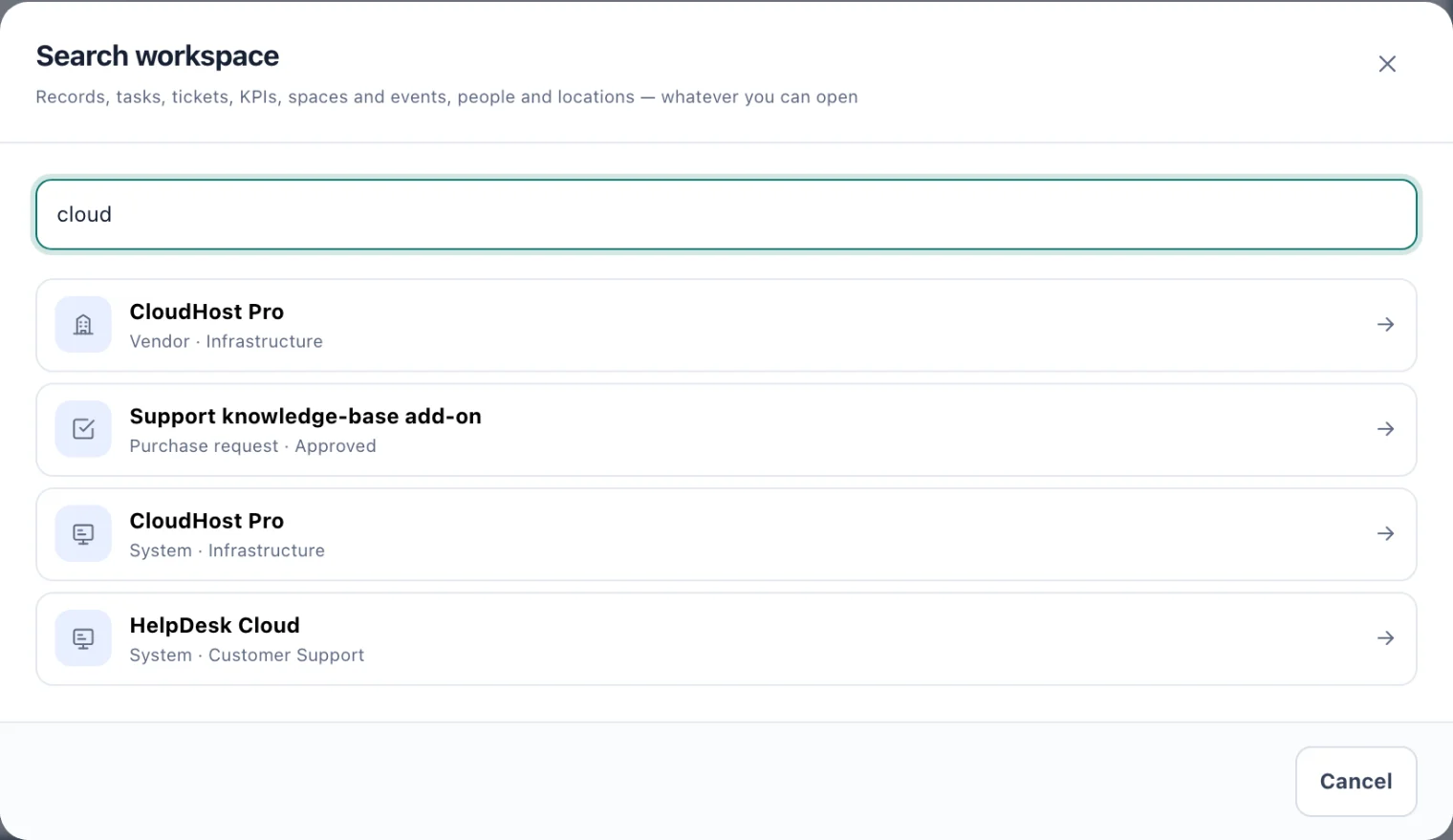
Search workspace: each result says what kind of record it is. Choose a result to go to it.
Results come from vendors, purchase requests, systems, learning, assets, workplace records, tasks, handovers and transitions, KPIs, company events, rooms, desks and pods, and service desk tickets. Console users also find people and locations. Each result says what kind of record it is.
Matches whose names start with what you typed come first. If there are more than five of one kind, kitset.io says it is showing the closest matches only: open that app and search there to see them all.
Where a result takes you
Most results open their app's list, already searched for that record, such as the vendor register showing one vendor.
A KPI opens that KPI's page, and a ticket opens the ticket.
A company event opens it on the calendar.
What you can find
Search shows only what you could already see. It follows the same rules as each app: the apps your workspace uses, the locations you can reach, and what your role or custom access allows. In the Employee Portal you find only records that are yours, such as your own requests, tickets and tasks.
Find a guide
Choose the question mark in the top bar, or press ? anywhere outside a text box, to open the guide for the screen you are on beside it. Help & guides in the sidebar opens the same panel.