Something broken, unsafe or left behind? Report it, and the people who look after your workplace can follow it up. Open Workplace in the Portal sidebar, or choose Report a workplace issue under Quick actions on My day.
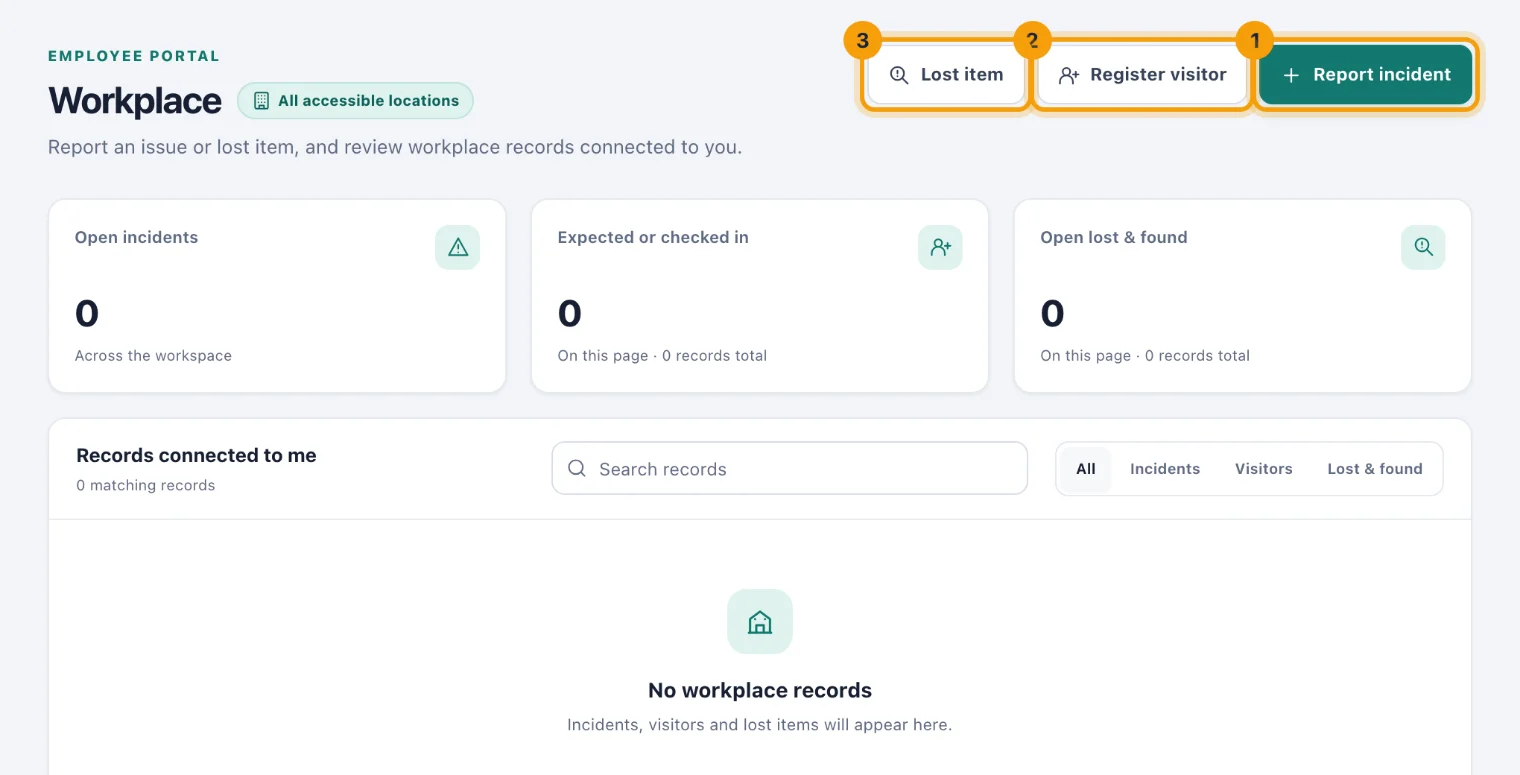
Report an incident or hazard
Choose Report incident (1). The form opens as a page of its own.
Give it a short title in Title or person name, such as "Loading-bay light fault".
In Description or visit purpose, say what happened and where.
Choose the Location it happened at.
If it happened earlier, set Occurred. Leave it empty to use the current time.
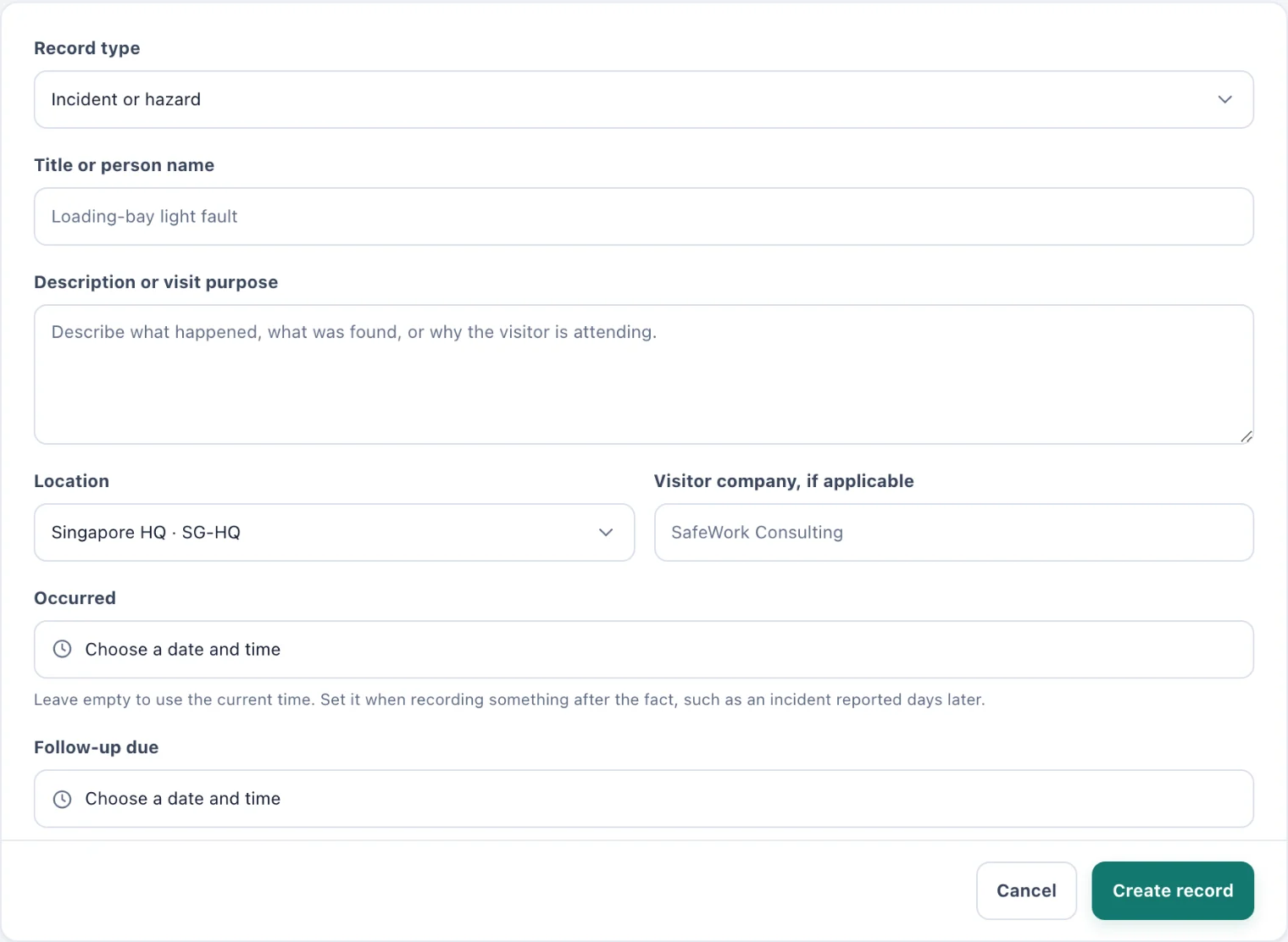
Report workplace incident: a title, what happened, and where. Choose Create record.
Register a visitor
Choose Register visitor (2) and enter the visitor's name in Title or person name, the reason for the visit in Description or visit purpose, the Location and Visitor company, if applicable, then Create record. You are the visitor's host, and the visit starts as expected until someone checks them in.
Record a lost or found item
Choose Lost item (3), describe the item and where it was lost or found, choose the Location, then Create record.
Follow what you reported
Records connected to me lists what you have reported, the visitors you are hosting, and anything you have been asked to follow up, with each one's status. Once a record is created, the people who manage workplace records update it, and you are notified when its status changes, for example when your incident is resolved.
If something you reported needs correcting, ask whoever looks after workplace records: a record cannot be changed from the Portal.