My assets in the Employee Portal lists the company equipment assigned to you: a laptop, a phone, a camera, a set of keys. Open it from My assets in the sidebar. My day shows the same count.
What it shows
Assigned to me counts the items you hold. Under it you see when the next one is due back, or how many are overdue.
Assigned equipment lists each item with its tag, its location and its warranty and maintenance dates.
Due back says when a loan ends: a date, Due today, Due tomorrow, or No return date if you can keep it.
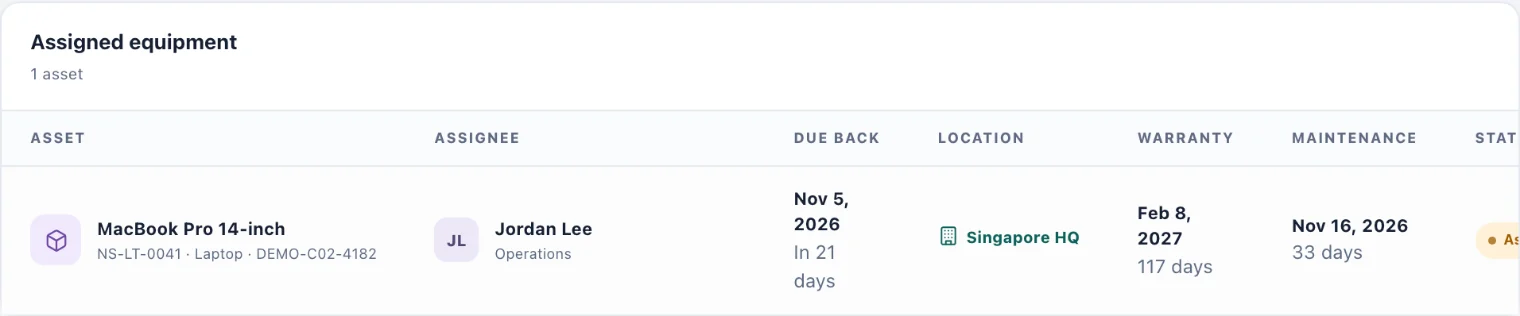
When something is lent to you with a return date, you are reminded the day before and on the day. If it is late, you are reminded every week until it is returned.
Report a problem or ask for a replacement
Choose Report a problem on the item's row (1).
Under What do you need?, choose Something is wrong with it or I need a replacement.
Say what is wrong in In a line, for example "The screen flickers". Add more in More detail (optional) if it helps.
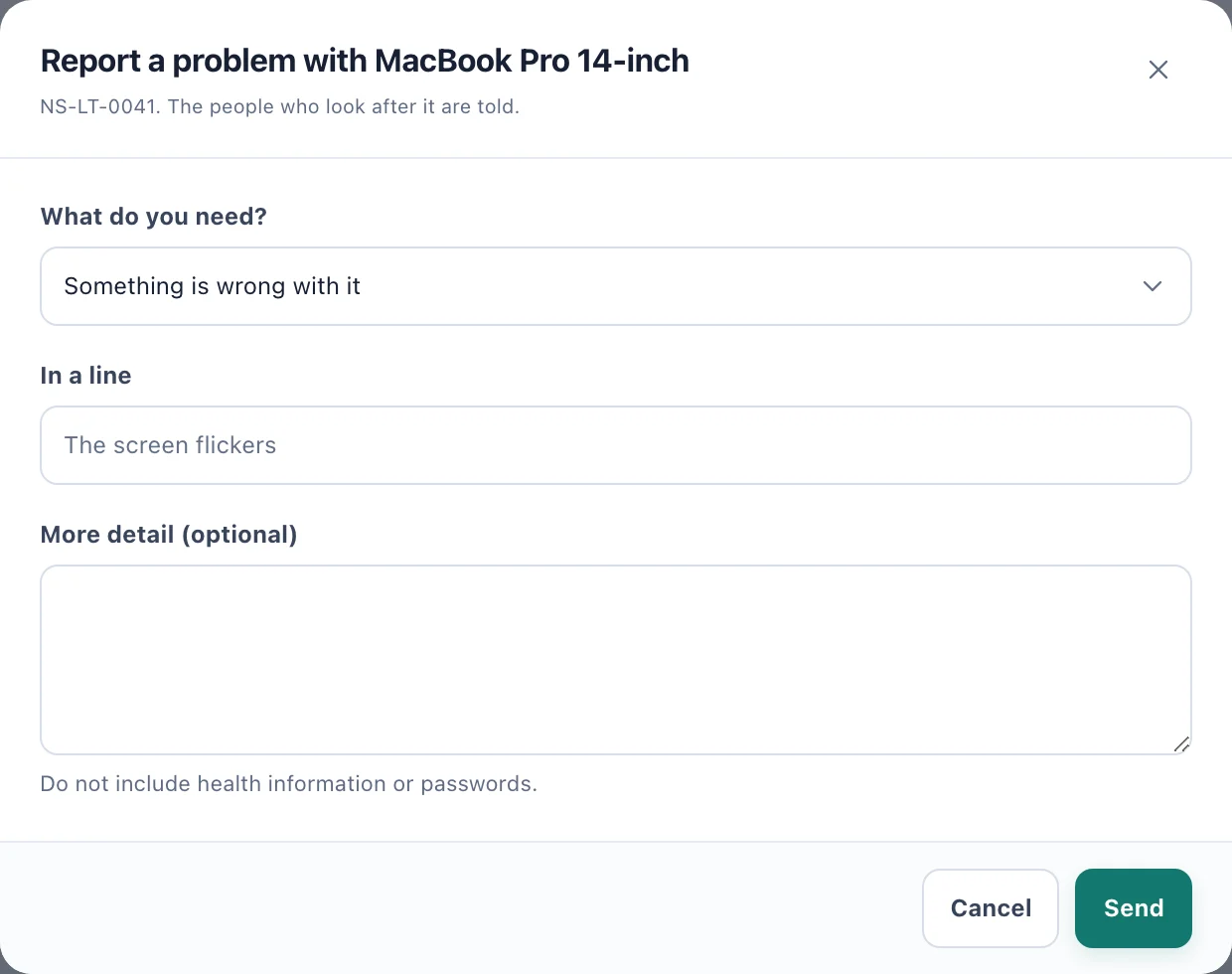
Report a problem: one line is enough; more detail is optional. Choose Send. The people who look after the item are told.
If your workspace uses the Service Desk for equipment, your report becomes a ticket instead. Follow it, and reply, under Get help.
You can have up to three reports about one item waiting for an answer at a time.
Follow up on what you reported
Choose My reports on the item's row (2). The item's page lists everything you have reported about it, its status, and any answer. You are notified when someone starts on it, finishes it or declines it.