Before anyone can raise a ticket, the service desk needs at least one queue: a place tickets go, such as IT support, Facilities or HR. Each queue names its agents, the people who answer it, and can have categories, the kinds of ticket it takes.
Setting queues up needs Manage the service desk where the queue takes tickets from. Admins have it by default, and a queue for the whole company needs it across the whole workspace. Open Service desk in the Console sidebar, then the Queues view.
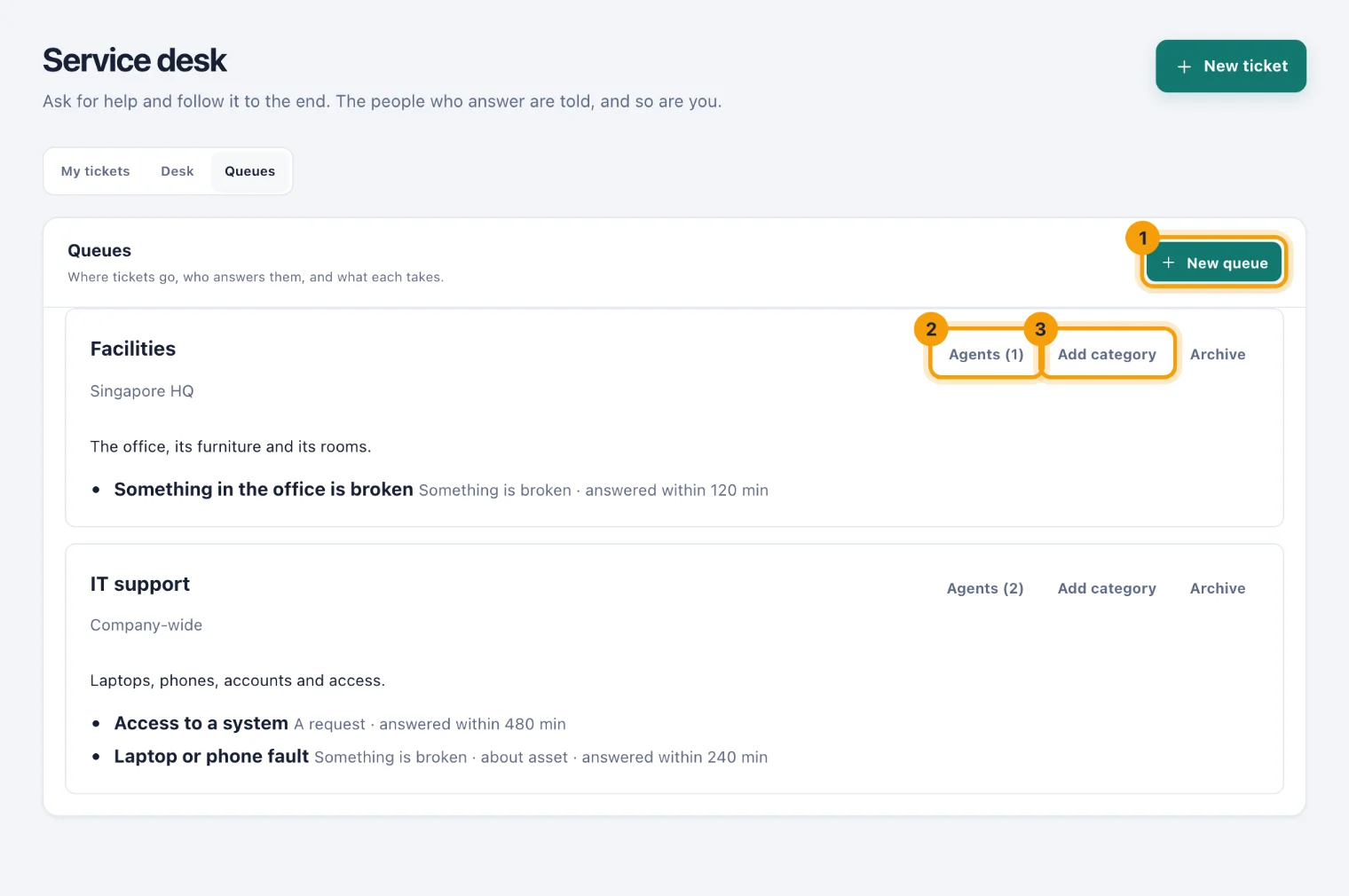
Add a queue
Choose New queue (1).
Give it a Name, such as "IT".
In Takes tickets from, choose The whole company, or one location. People see the queues for their own locations and the ones for the whole company.
Say what it is for in What it handles (optional).
Choose Set it up.
Name the agents
Choose Agents on the queue (2). The button says how many it has.
Tick the people who answer this queue's tickets. Only Console users can be agents.
Choose Save agents. The list you save replaces the one before.
An agent also needs the Work tickets permission to see and answer the tickets, which Admins have by default. Naming people one by one is deliberate: "everyone in IT" is not always the same as the people who answer IT's tickets.
Add a category
Choose Add category on the queue (3).
Give it a Name people will recognise, such as "Broken laptop".
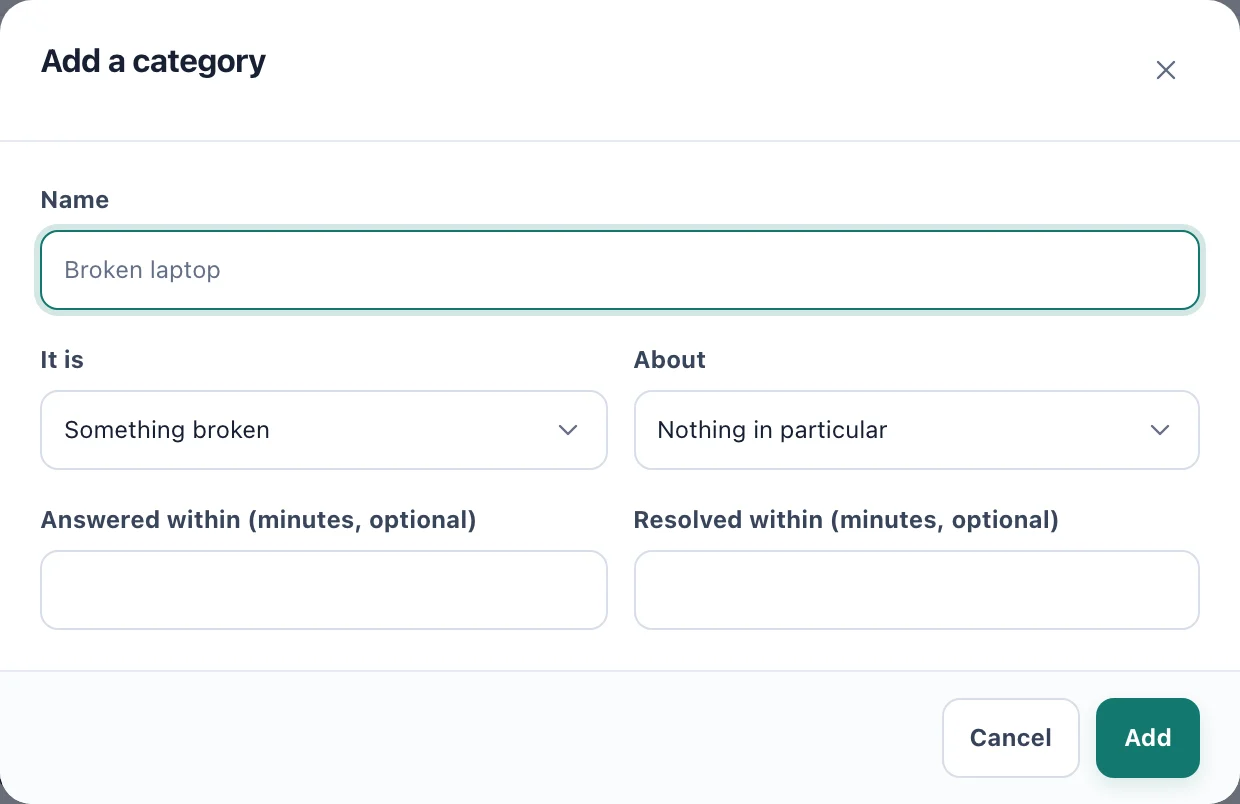
Add a category: what kind of ticket it is, what it is about, and how soon it is answered and resolved. Choose what It is: Something broken, A request, A question or A replacement.
Choose what it is About: Nothing in particular, One of their assets, A system or A space.
If the desk works to a target, enter Answered within (minutes, optional) and Resolved within (minutes, optional). Each can be up to 30 days, which is 43,200 minutes.
Choose Add.
Once a queue has a category, everyone raising a ticket in it chooses one. A queue with no categories takes tickets without one.
A ticket's targets are set from its category when it is raised. While a ticket waits on the requester or a supplier its clock stops; see The service desk.
Categories about equipment
A category About One of their assets does two things:
A Portal user raising a ticket in it can choose which of their assets it is about.
When someone reports a problem with equipment they hold, from My assets in the Portal, the report becomes a ticket in a queue that has such a category, at the asset's location or for the whole company. A category of the same kind is chosen first: a fault goes to Something broken, a replacement to A replacement.
Archive a queue
Choose Archive on a queue when it should take no new tickets. Its tickets stay, and its agents can still finish them. Restore brings it back.