When your company asks you to read a policy or complete a course, it appears in My learning in the Employee Portal. You are told under the bell when something is assigned, and it is added to My tasks with its due date. As the due date approaches, reminders follow under the bell and by email. Learning due on My day shows how many are waiting.
What it shows
Three figures sit at the top: Due, what still needs you; Completed; and Total assigned.
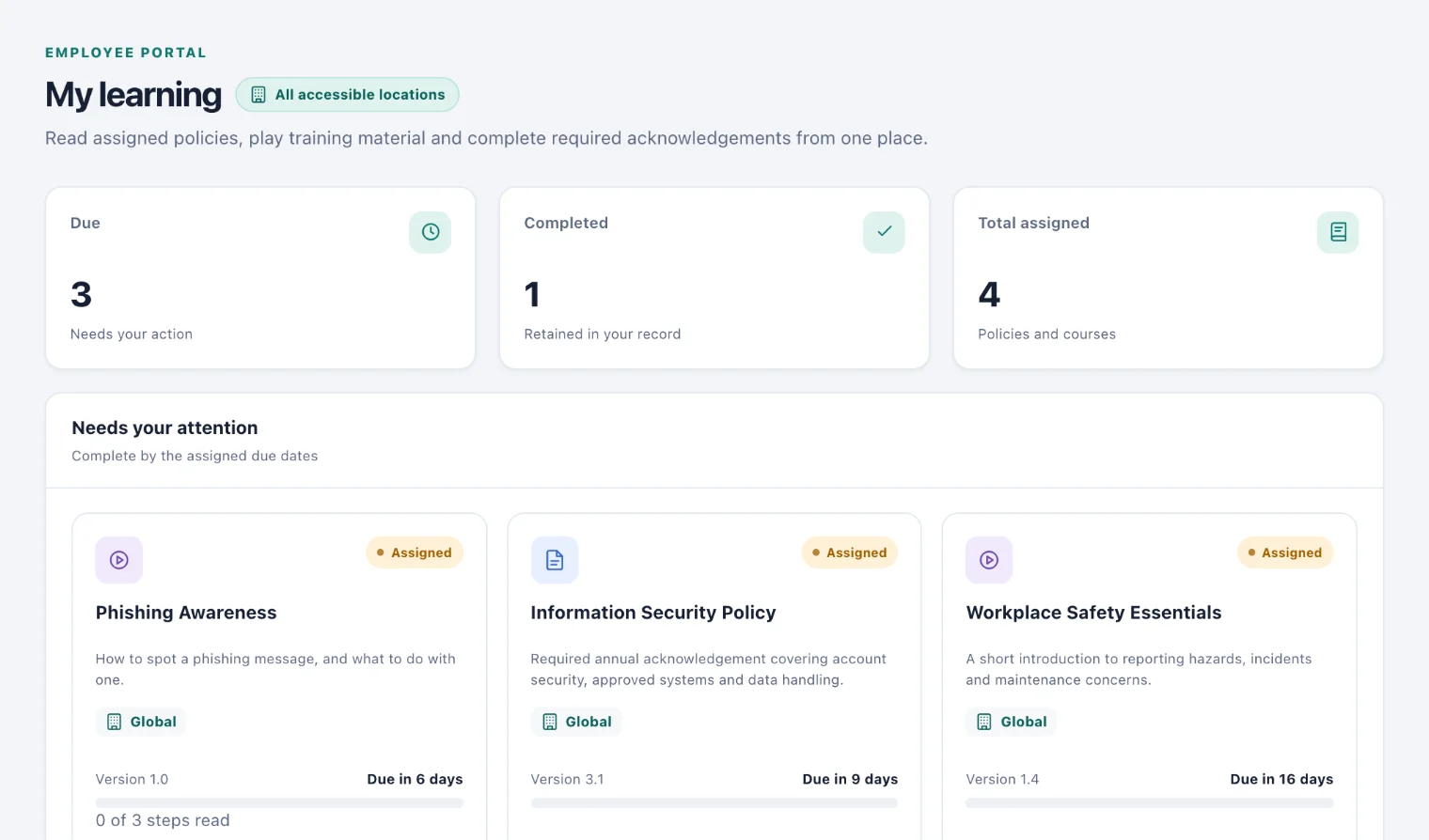
Needs your attention lists what is still to do, with its version and when it is due: Due in a number of days, Overdue or No due date. A course you have started shows how many of its steps you have read. Completed learning keeps everything you have finished, as your record.
Acknowledge a policy
Choose Read policy on its card.
Read it through. If it shows Play training media, open that too: it opens in a new tab.
Tick I have read and understood this policy version.
Choose Acknowledge policy.
Your acknowledgement names the version you read. If the policy is changed later, your company assigns the new version to you, and you acknowledge that one too.
Complete a course
Choose Open course (1) on its card. The course opens at the first step, or where you left off.
Work through it with Next. You cannot skip ahead to a step you have not reached, but you can go Back, or choose any numbered step you have already read.
If the course plays media from elsewhere, Play training media opens it in a new tab.
Finish on the last step. If the course has no questions, tick I have completed this training. and choose Complete training. If it has questions, answer each one as you reach it, then choose Submit answers.
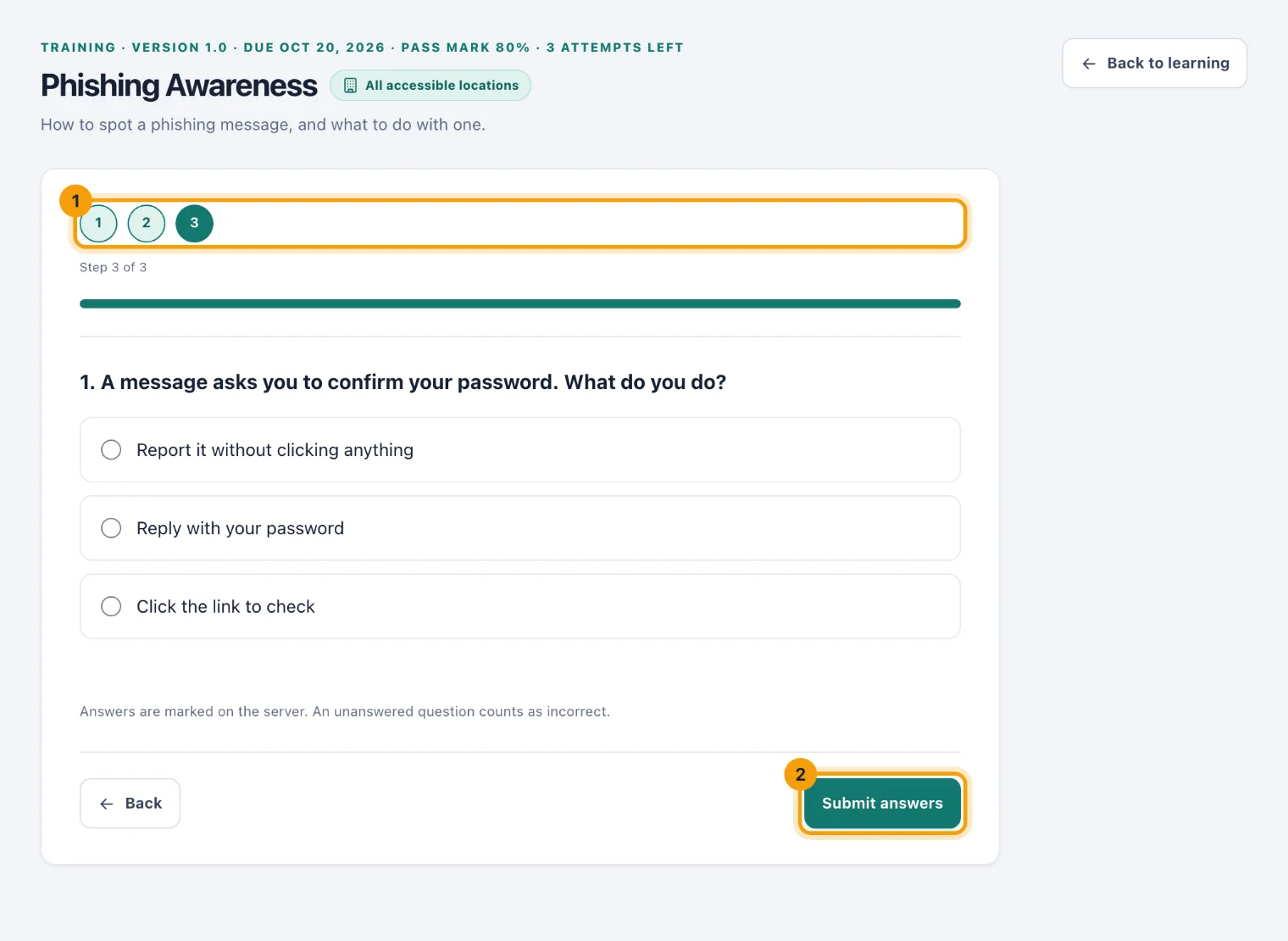
A course's last step. The numbers (1) show where you are; Submit answers (2) sends your answers to be marked.
The top of a course with questions shows its pass mark and, if attempts are limited, how many you have left. Your answers are marked when you submit them, and a question you leave unanswered counts as incorrect.
Passed. The course is complete, with your score.
Not passed. You are told your score and the mark you need. Read the course again and submit new answers.
No attempts remaining. You can still read the course. Ask whoever looks after learning if you need another attempt.
You can stop part-way and come back: the course remembers how far you got.
Review what you have completed
Choose Review on a card under Completed learning to read it again. It shows when you completed it and your score, if it had questions. Reviewing does not change your record.