Learning & compliance holds the policies people must acknowledge and the training courses they must complete. Each item is written as a draft, published as a fixed version, assigned to the people it applies to, and completed by them in the Employee Portal. Every completion is kept as evidence that names the exact version the person read. Open it from Learning & compliance in the Console sidebar.
How content moves
Draft. You write a policy or a training course. Nobody sees a draft except the people who manage learning. See Create and publish learning content.
Published. Publishing takes a snapshot of the text, and of a course's lesson and quiz, as a version. A published version cannot be edited, so the text people acknowledged is never changed under them.
Assigned. You choose who must complete it and by when. Each person gets a task and a notification. See Assign learning and read the evidence.
Completed. The person reads the policy and confirms it, or works through the course and passes its quiz. See Your learning.
To change something already published, you Revise it: that opens a new draft version and leaves the published one exactly as it is.
The page
Three figures sit at the top: Published content, with how many drafts there are; Active assignments; and Completion rate, for the assignments on the page you are looking at.
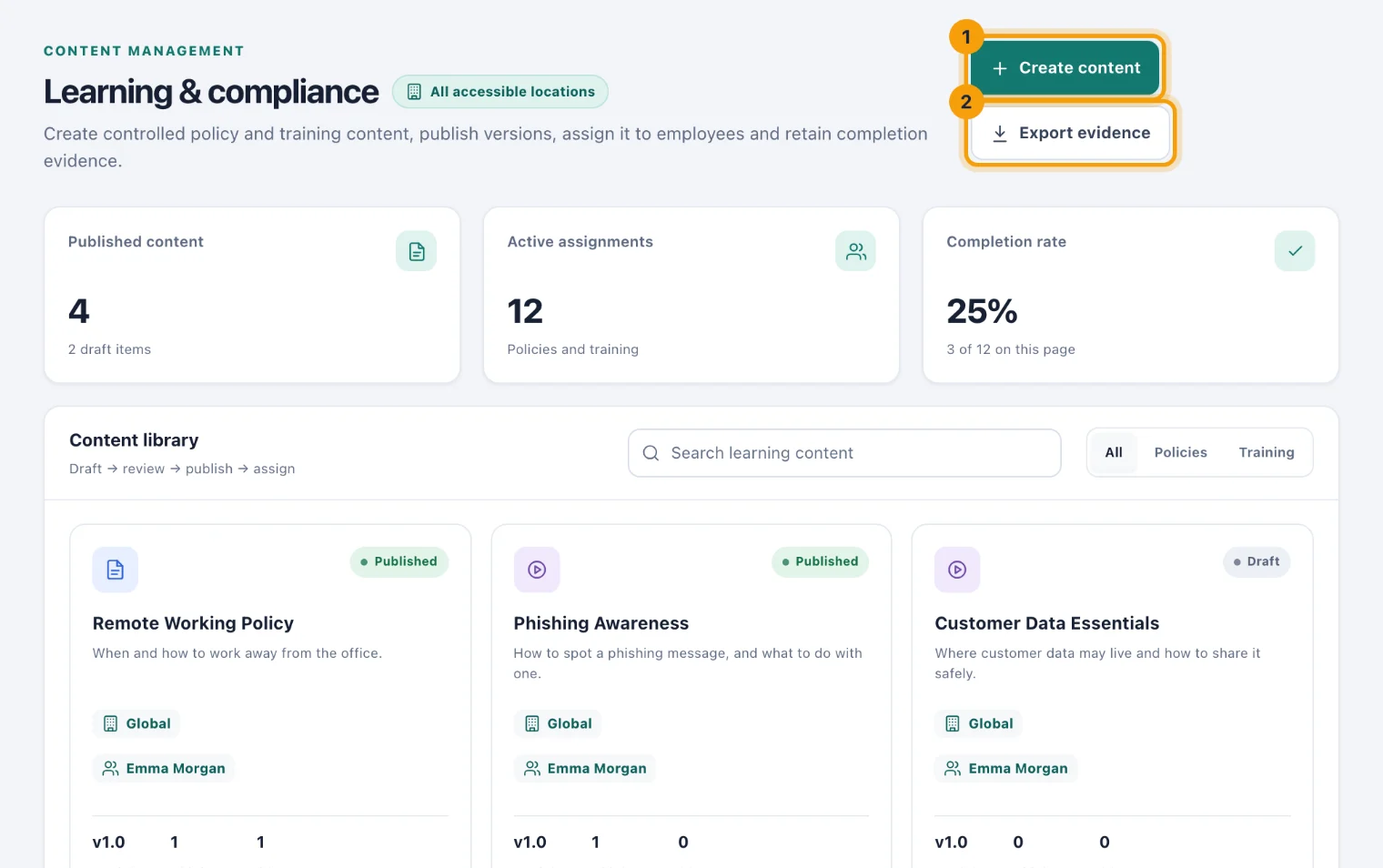
Create content (1) starts a new policy or course. Export evidence (2) downloads every recorded completion as a spreadsheet, for an auditor or your own records. It follows the search you have typed.
The content library
The Content library shows each policy and course as a card: its type, its status, its location, who wrote it, the live version, and how many people it is assigned to and have completed it. Search by title or description with Search learning content, or choose All, Policies or Training.
When a draft of a newer version is waiting, the card shows the live version with Live · draft v and the draft's number beside it.
What a card offers depends on its status and your permissions:
Preview, to read it as a learner would.
Files, for supporting documents, such as the signed original of a policy.
Versions, for every published version and how many people acknowledged each.
Evidence, to download the completions of that one item.
On a draft: the pencil (Edit content), Lesson on a course, and Publish.
On published content: Revise and Assign.
The assignment report
The Assignment report lists who has been assigned what, the version they were given, its due date, its status and any quiz score, with the earliest due first.
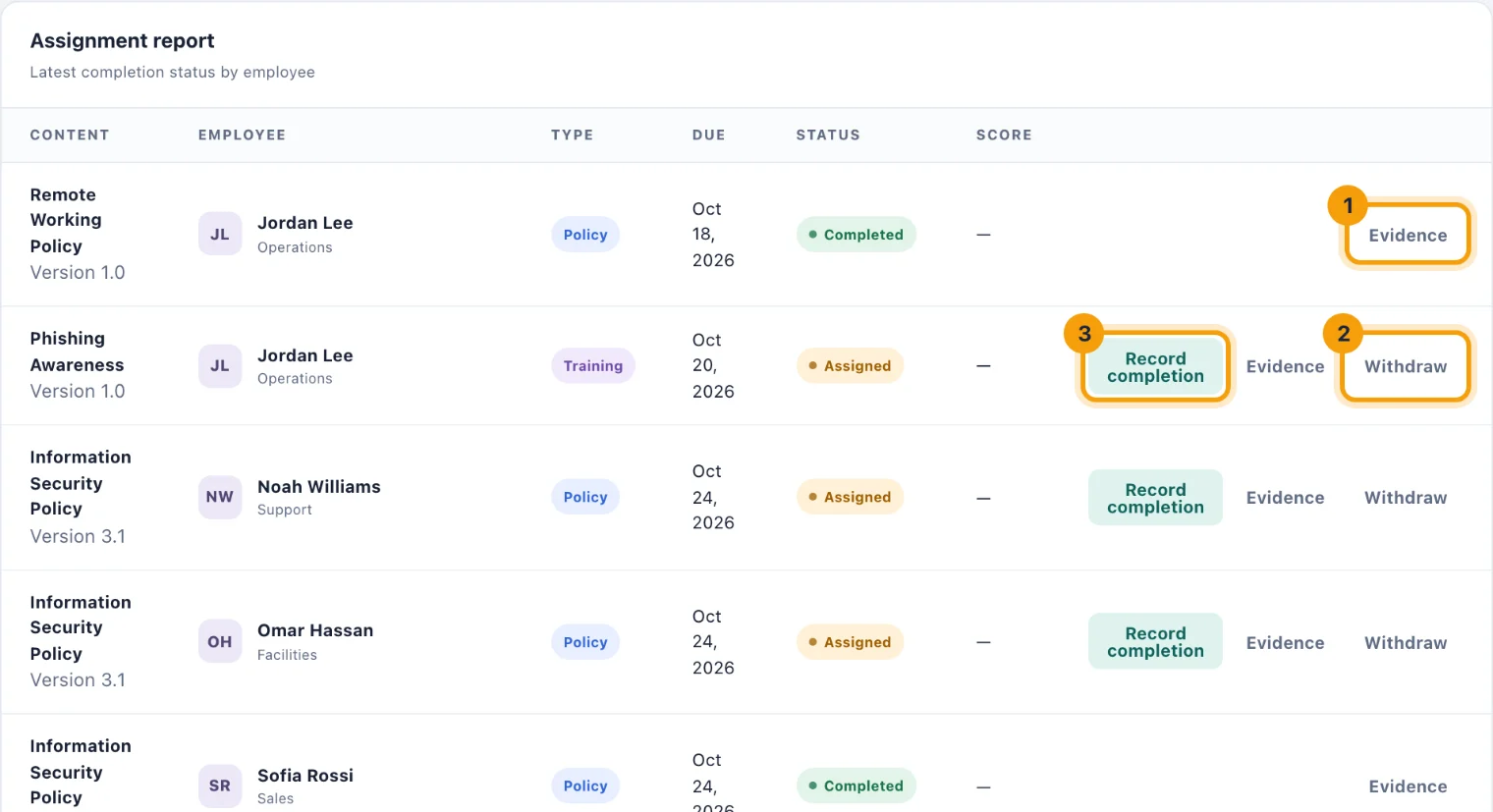
Evidence (1) opens everything that person has acknowledged on that assignment.
Withdraw (2) removes an assignment that should not have been made. It is offered until the assignment is completed.
Record completion (3) records a completion that happened outside kitset.io, for example a policy signed on paper at an induction.
All three are explained in Assign learning and read the evidence.
Reminders
An assignment's task carries its due date. The person is reminded under the bell and by email in the week before it is due and on the day, and once more if it becomes overdue. Completing the policy or course closes the task.
Who can do what
See the library and the report. Admins by default; Owners and System Admins always.
Create and edit drafts. Admins by default, with the Create learning content permission.
Publish and revise. Admins by default, with Publish learning content.
Assign and withdraw. Admins by default, with Assign learning content.
Record completion for someone else. Owners and System Admins. Others need the Record completion for others permission given to them.
Custom access can limit any of these to some locations. Content for one location can only be assigned to people who can reach that location. See Scoping access.