Handover & continuity makes cover explicit. When someone goes on holiday, ends a shift or changes role, a handover says what is being passed on, to whom, and which actions each person now owns, and the recipient confirms they have it. Open it from Handover & continuity in the Console sidebar.
There are three kinds: Holiday, Shift and Role handovers. Onboarding and offboarding are run in Employee transitions; see Onboarding and offboarding.
The register
Three figures sit at the top: Open handovers, Acknowledged ones and open Action items. They count the whole register, or what matches your search and type when you have narrowed it, whichever status you are looking at.
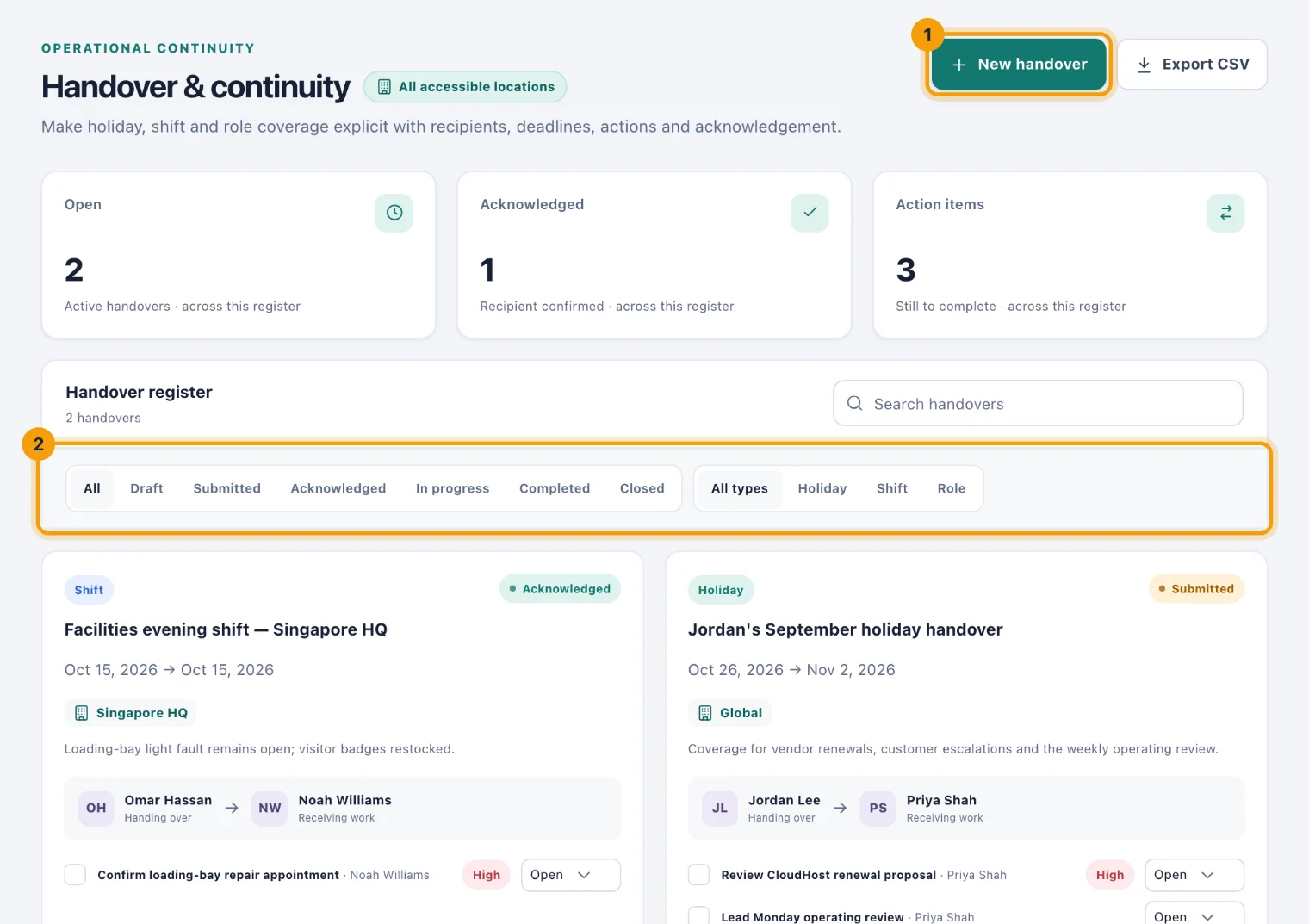
New handover (1) creates one; see Create a handover. Search by title with Search handovers, and narrow the list (2) by status (All, Draft, Submitted, Acknowledged, In progress, Completed, Closed) and by type (All types, Holiday, Shift, Role). Newest handovers come first.
Export CSV downloads the handovers you are looking at, with the same search and filters.
A handover's card
Each card shows the type, the title, the dates, the location and the status. Under the summary it shows who is Handing over and who is Receiving work, then the actions, then what the person away left for whoever covers: Availability, Escalation contact and Return follow-up.
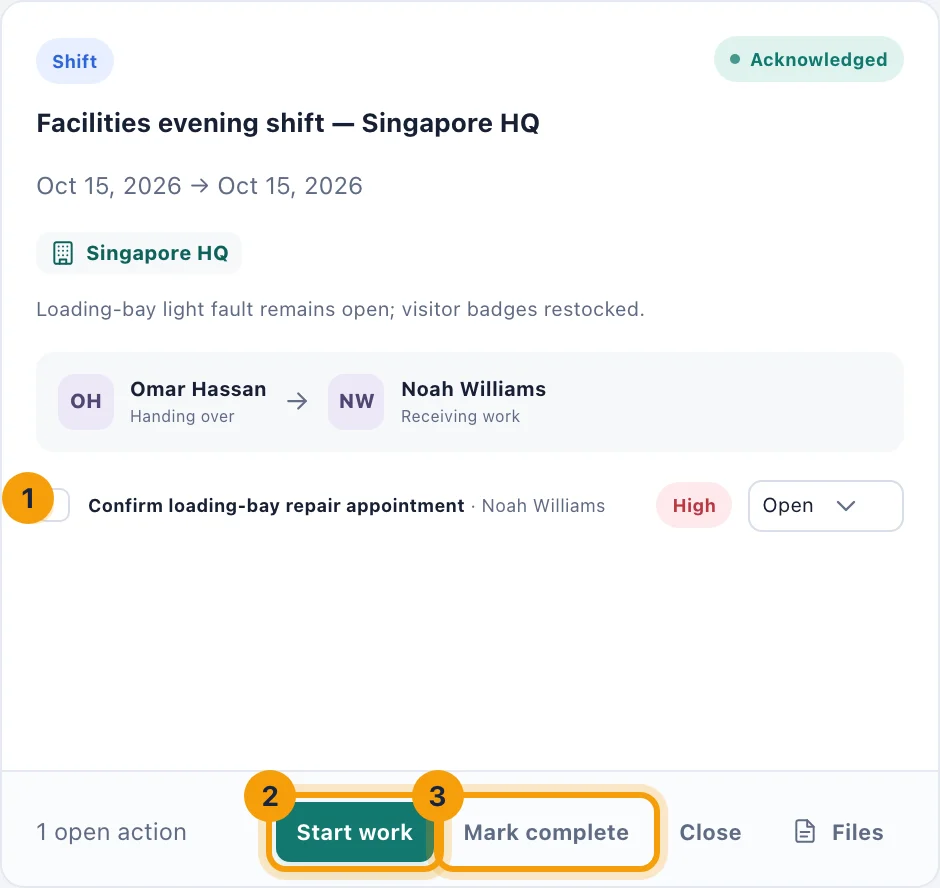
Each action shows its owner and, when it matters, High priority. Tick the box beside an action to complete it, or choose its status (1): Open, In progress, Blocked or Complete. The card shows the first four actions; a button such as Show all 6 actions lists the rest. The foot counts the open actions.
Files holds checklists and supporting documents.
Statuses
A handover moves through these statuses, with one button on the card for each step it can take:
Submitted. Where a handover starts. The recipient and each action owner have been told, and each has a task.
Acknowledged. The recipient has confirmed they have it, with Acknowledge on their card. Only the recipient can acknowledge, and it completes their review task.
In progress. Start work (2) says the cover has begun.
Completed. Mark complete (3) once the handover is over, from Acknowledged or In progress.
Closed. Close files it away, from Submitted onwards.
Completing or closing a handover completes the tasks it created, so they stop appearing in people's lists.
A handover that is never acknowledged can still be started, completed or closed: acknowledgement records that the recipient confirmed it, it does not hold the work up.
Tasks and reminders
When a handover is created, its recipient gets a notification, Handover ready for review, and a task to review it, due on the start date. Each action's owner gets Handover action assigned and a task with the action's due date. Those tasks remind their owners as their due dates approach, under the bell and by email.
Completing an action's task in Tasks completes the action on the handover, and the other way round. Completing the recipient's review task acknowledges the handover.
Who can do what
See handovers. Admins by default; Owners and System Admins always. Custom access can limit this to some locations.
Create and move handovers on. The same people, with the Manage handovers permission. Only people with it see the status buttons.
Employees. Portal users create their own handovers and see the ones they are part of in My handovers. See Your handovers.