A vendor record holds what you need before the next renewal decision: who owns it, what it costs, how many seats you pay for, when it renews and how much notice you must give to cancel. You need permission to change vendors; Admins have it by default, and Owners and System Admins always do.
Add a vendor
In Vendors & renewals, choose Add vendor. The Add vendor or subscription page opens.
Enter the Vendor name and choose a Category: Software, Infrastructure, Professional services, Facilities, Insurance or Other.
Choose a Location. Pick Company-wide / global for software and contracts the whole company shares.
Choose the Business owner: the person who decides whether to renew. They receive the renewal reminders.
Choose the Billing cycle, then enter the Equivalent monthly cost and its Currency.
Enter the Renewal date (1) and the Cancellation notice days (2) the contract requires. Together they set the cancellation deadline the reminders count down to.
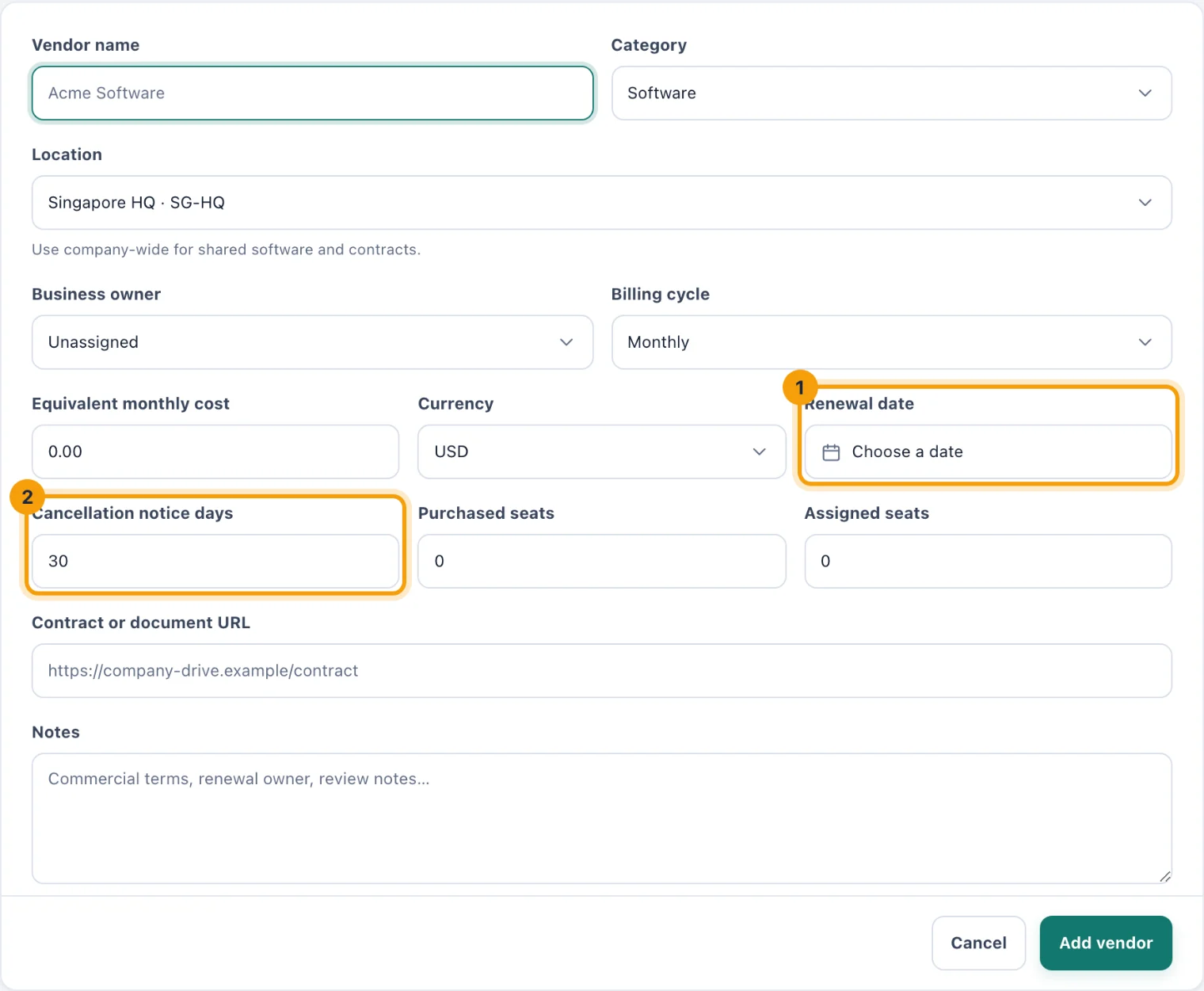
The vendor form. The renewal date and notice period decide when reminders start. For seat-based products, enter Purchased seats and Assigned seats. Leave both at 0 for anything that is not sold by the seat.
Optionally add a Contract or document URL and Notes on commercial terms.
Choose Add vendor. You return to the register, where the new vendor is listed.
Change a vendor
In the register, choose the pencil on the vendor's row, Edit vendor.
Change what you need. The page shows every field it saves, so anything you leave alone stays as it was.
Choose Save vendor.
When you renew, move the Renewal date to the next one. Reminders start again for the new date.
Cancel or end a vendor
Editing a vendor adds a Status field: Active, Cancelled or Expired. Cancelled and expired vendors stay in the register and in reports, and they no longer send renewal reminders or count towards committed spend. To find them later, use the Cancelled or Expired tab.
Leaving without saving
Cancel takes you back to the register. If you have changed anything, kitset.io asks before discarding it, and does the same if you use Back or follow a link away from the page.